
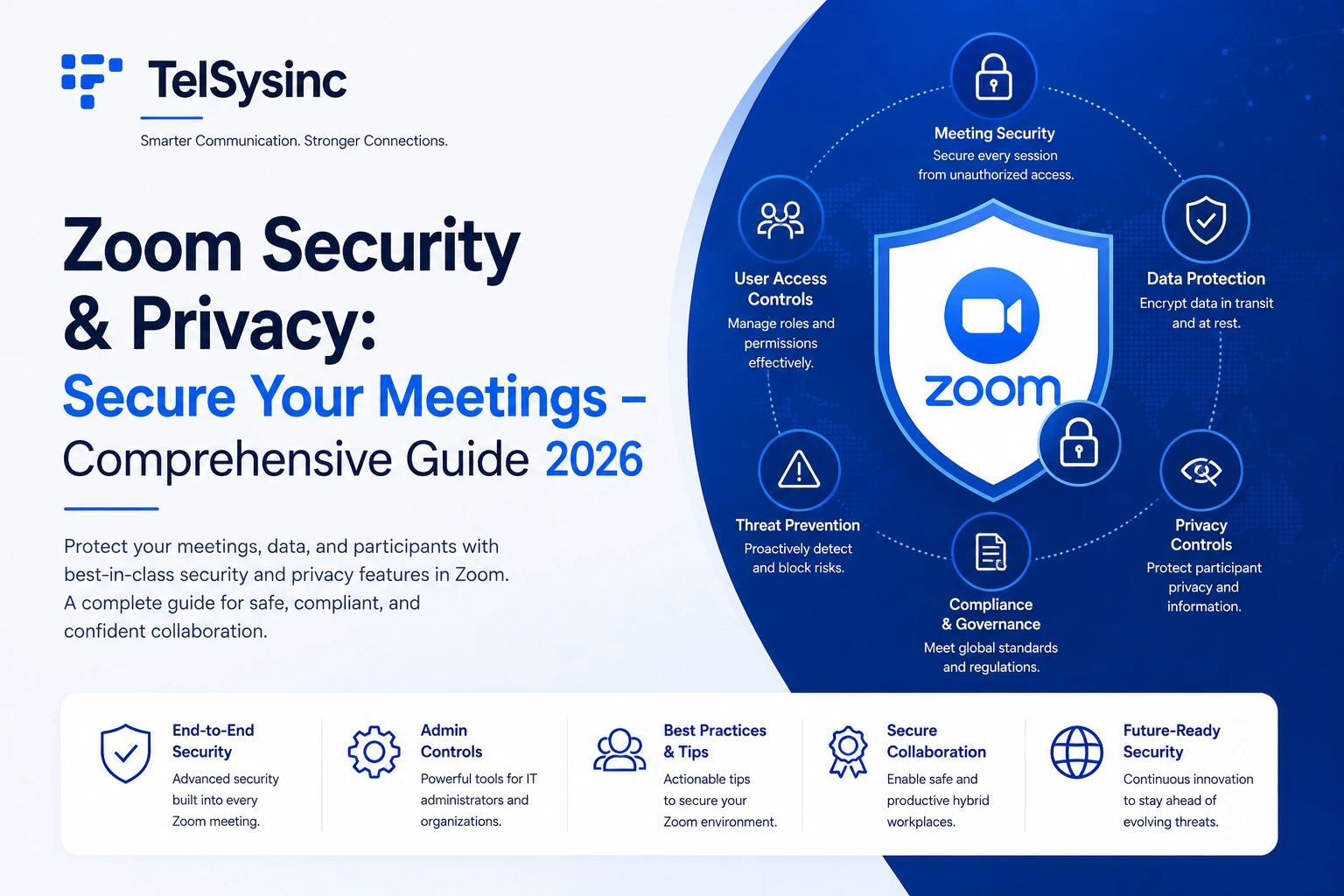
Introduction: Is Zoom Actually Secure in 2025?
Zoom in 2025 is a fundamentally different product from the one that made security headlines in 2020. Back then, the concerns were real and documented — routing of calls through Chinese servers, questionable encryption claims, and the sudden phenomenon of oombombing that forced emergency policy changes across thousands of organizations.
Five years of focused security investment later, the platform has rebuilt its credibility. AES-256 encryption protects every call. Optional end-to-end encryption is available on every plan tier. SOC 2, ISO 27001, HIPAA, and FedRAMP certifications cover the compliance needs of most organizations. And Zoom became the first UCaaS provider to offer post-quantum end-to-end encryption for video conferencing — protecting meetings against future cryptographic threats that don't even fully exist yet.
But the critical caveat in any honest security assessment is this: the platform's security is only as good as how it's configured. A Zoom meeting with no passcode, no waiting room, and public link distribution is genuinely insecure — not because the encryption failed, but because the door was left open. Most Zoom security incidents in 2025 trace back to misconfiguration, not to encryption vulnerabilities.
This guide covers Zoom's full security architecture — encryption layers, compliance certifications, meeting controls, recent vulnerabilities and their patches — and gives you a practical configuration checklist for securing meetings at every level.
How Zoom Encrypts Your Meetings: Three Layers Explained
Understanding the difference between Zoom's encryption modes matters practically, not just technically. The mode you're using determines whether Zoom itself can access your meeting content — and that has direct implications for compliance and privacy.
Layer 1: Standard Encryption (Default for All Meetings)
Every Zoom meeting, on every plan tier, uses 256-bit AES-GCM encryption for all audio, video, screen sharing, and chat in transit. This is genuine, strong encryption — the same standard used by financial services and government systems for data in transit.
What this means practically: anyone intercepting your meeting traffic between your device and Zoom's servers sees only encrypted ciphertext. They cannot reconstruct your audio or video from that intercept.
What this doesn't mean: Zoom's servers hold the encryption keys in this mode. Zoom can theoretically access the content of your meeting. For most commercial use cases, this is acceptable — the threat model is external eavesdroppers, not Zoom itself. For legal, medical, or government use cases, you need the next layer.
Data at rest — stored meeting recordings, transcripts, and content in Zoom's cloud — is also encrypted with AES-256 GCM, using either Zoom-managed keys or Customer Managed Keys (CMK) for organizations that need their own key control.
Layer 2: End-to-End Encryption (E2EE)
With E2EE enabled, encryption keys are generated on participants' devices and never transmitted to Zoom's servers. According to Zoom's documentation, Zoom's system is designed to provide only the participants with access to the encryption keys used to encrypt the meeting — Zoom's servers don't have the necessary decryption key and can't decipher any encrypted data relayed through them.
This is the standard that messaging apps like Signal use: not even the platform provider can access the communication content.
What E2EE disables: Cloud recording, live transcription, AI Companion summarization, breakout rooms, and some third-party integrations. If those features are critical to your workflow, E2EE creates a real trade-off. The right approach for regulated industries is to use E2EE for meetings involving sensitive content and standard encryption for internal team calls where AI features add value.
Who should require E2EE: Attorneys, therapists, physicians, financial advisors, HR teams handling personnel matters, and anyone whose meetings involve legally privileged or clinically sensitive information. For these users, treating E2EE as non-negotiable rather than optional is appropriate given the sensitivity of the content.
Layer 3: Post-Quantum E2EE (The Forward-Looking Layer)
Zoom made security history by becoming the first UCaaS provider to offer post-quantum end-to-end encryption for video conferencing. Using the Kyber 768 algorithm (currently undergoing standardization from NIST as ML-KEM in FIPS 203), post-quantum E2EE helps defend against "harvest now, decrypt later" attacks — where adversaries record encrypted traffic today and decrypt it once quantum computers become capable enough.
This matters because Federal Reserve research published in 2025 confirms that "harvest now, decrypt later" is no longer theoretical. Any data with a confidentiality lifetime extending past roughly 2032 — patient records, M&A communications, intellectual property, government documents — is potentially exposed if intercepted under classical encryption.
Post-quantum E2EE requires Zoom client version 6.0.10 or later and applies the same end-to-end trust model as standard E2EE. All participants must be on updated clients for PQ E2EE to activate. Zoom has announced post-quantum E2EE expansion to Zoom Phone and Zoom Rooms in subsequent releases.
Zoom Compliance Certifications: What They Actually Mean
Compliance certifications are often listed without context. Here's what Zoom's certifications actually mean for different types of organizations.
HIPAA (Healthcare)
Zoom offers a HIPAA-compliant plan for healthcare customers who sign a Business Associate Agreement (BAA). Under this agreement, Zoom commits to meeting HIPAA's technical safeguards for ePHI, including encryption and access controls.
Critical practical point: a free or Pro Zoom account used for Protected Health Information constitutes a HIPAA compliance risk regardless of other settings. HIPAA compliance requires a paid plan with an executed BAA. Without that agreement, Zoom is not acting as a covered business associate, and PHI transmitted in meetings is unprotected from a compliance standpoint.
Once a BAA is in place, Zoom's HIPAA safeguards include unique user IDs, forced session logout, audit logging, AES-256-GCM encrypted storage, and access controls. For telehealth providers, the recommended configuration adds E2EE for patient sessions and disabled cloud recording unless recordings are required and stored in a HIPAA-compliant system.
Importantly, 2025 HIPAA updates strengthened encryption requirements, now mandating encryption for all electronic PHI whether stored, transmitted, or accessed remotely — with AES-256 for data at rest and TLS 1.3 for data in transit as the specified standards. Zoom's default encryption already meets these requirements; the BAA formalizes the compliance relationship.
GDPR (European Data Protection)
Zoom holds ISO/IEC 27701:2019 certification — the international privacy management standard designed specifically to align with GDPR requirements. It also provides Data Processing Addendums (DPAs) for EU customers and supports data residency in European data centers, addressing data sovereignty requirements. Standard Contractual Clauses (SCCs) cover international data transfers for organizations operating across EU and non-EU jurisdictions.
For EU-based organizations, verify that your Zoom account is configured for EU data residency if your data subject agreements require it. This is a configuration choice, not an automatic default.
SOC 2 Type II and HITRUST
SOC 2 Type II attestation covers security, confidentiality, and privacy controls — independently audited over a period of time (Type II covers actual operations, not just design). HITRUST certification adds a healthcare-specific security framework on top of HIPAA requirements.
These certifications matter most during vendor due diligence. If your procurement or legal team requires evidence of third-party security auditing, both SOC 2 and HITRUST documentation are available through Zoom's Trust Center.
FedRAMP (Government)
Zoom for Government is FedRAMP Moderate authorized, running on separate infrastructure from commercial Zoom. This version meets US federal security standards and is the required deployment for federal agency use. It also holds DoD IL4 (Defense Department Impact Level 4) authorization for defense-related use cases.
Organizations that are not federal agencies but work as federal contractors should verify whether FedRAMP Moderate requirements apply to their contracts before assuming the standard commercial Zoom deployment is sufficient.
Education (FERPA/COPPA)
Zoom for Education is designed to meet FERPA requirements and does not use student data for advertising. Schools should use Zoom for Education accounts rather than personal accounts to ensure compliance — the account type matters, not just the settings.
Configuring Secure Meetings: Preventing Zoombombing and Unauthorized Access
Zoombombing — unauthorized access to meetings by uninvited participants — still happens in 2025, almost entirely due to misconfiguration: public meeting links, no passcodes, and no waiting rooms. The technical controls to prevent it are all available and straightforward to enable.
Use Random Meeting IDs, Never Your PMI
Your Personal Meeting ID (PMI) is a permanent link that doesn't change. Sharing it publicly — even once — means anyone who has it can attempt to join any of your future meetings. For meetings beyond your immediate team, always generate a random meeting ID. Treat your PMI like a phone number: share it only with people who should be able to reach you directly.
Require Passcodes
Enable meeting passcodes for all scheduled meetings. Zoom auto-enables passcodes for free accounts; Business and Enterprise account admins should enforce this at the account level so hosts can't disable it. Distribute passcodes privately alongside the meeting link — not in the same public post or channel.
Enable Waiting Rooms as a Default
The Waiting Room holds participants in a virtual lobby until the host admits them individually or in bulk. This is the most effective single control against uninvited participants — you physically approve each person before they enter the meeting.
Customize the Waiting Room message with meeting context ("Welcome to the Q3 Planning Meeting — please wait while the host admits participants"). This tells legitimate attendees they're in the right place and reduces the panic that sometimes comes with unexpected lobby waits.
For webinars and large events, Waiting Room combined with authentication (sign-in required) is the appropriate baseline.
Lock the Meeting After Everyone Arrives
Once all expected participants have joined, click Lock Meeting in the Security menu. From that point, no one — regardless of having the correct link and passcode — can enter. This is the equivalent of locking the conference room door after the meeting starts. Make it a habit for any meeting involving confidential discussions.
Restrict Screen Sharing and Annotations
Set screen sharing to Host Only before the meeting starts. Allowing participants to share screens by default creates a vector for disruptive content. If participants need to share screens, the host can grant permission in the moment.
Disable annotations if they're not needed for the session. An unexpected annotation on your shared screen by an uninvited participant is a classic Zoombombing tactic. File transfers in-meeting should also be disabled unless specifically required — this eliminates a potential malware delivery path.
Manage Participants Proactively
Assign co-hosts for meetings with more than 15–20 participants. Watch the participant list throughout the meeting. At any sign of disruption:
- Use Suspend Participant Activities (Security menu) — this immediately pauses all video, audio, chat, and screen sharing for everyone
- Identify and remove the disruptive participant from the Participants list
- Report the user to Zoom's Trust & Safety team via the Security icon
- Lock the meeting after removal
Removed participants cannot rejoin unless the host toggles the re-entry setting. That setting should be off by default for any meeting where you've needed to remove someone.
Zoom Security Settings: Your Pre-Meeting Checklist
This checklist applies to all meeting hosts. Admins should enforce the critical items at the account level so they become organizational defaults rather than individual decisions.
Account-level settings (Admin Portal):
- ✅ Require passcodes for all meeting types (scheduled, instant, PMI)
- ✅ Enable Waiting Room as default for all meetings
- ✅ Require authentication for participants (signed-in Zoom users, or domain-restricted)
- ✅ Disable "Join before host" to prevent unattended meeting access
- ✅ Enable audit logging for meeting joins, recording downloads, and admin changes
- ✅ Enforce two-factor authentication for all accounts
- ✅ Set auto-update to keep all clients on the latest version
Host settings per meeting:
- ✅ Use random meeting ID (not PMI) for external or large meetings
- ✅ Share link and passcode privately, not in public channels
- ✅ Set screen sharing to Host Only before starting
- ✅ Verify the encryption indicator (green shield) before beginning sensitive content
- ✅ Lock the meeting once all participants have joined
- ✅ Enable E2EE for meetings involving confidential, privileged, or regulated content
Zoom Security by Plan: What Expands at Higher Tiers
Free (Basic) accounts have access to core security controls (passcodes, waiting rooms, E2EE) but lack centralized policy enforcement. For organizations, this means security depends on individual hosts remembering to enable settings — which creates inconsistency.
The most significant security differentiator between Pro and Business/Enterprise is forced policy enforcement. At the Business level, admins can require every host across the organization to use passcodes and waiting rooms — removing the individual discretion that creates security gaps. Customer Managed Keys (CMK) let enterprise organizations supply their own encryption keys for data at rest, addressing the highest-sensitivity use cases where even Zoom-managed key control is insufficient.
Recent Zoom Vulnerabilities: What Happened and How Zoom Responded
Complex software has vulnerabilities. What matters is response time, transparency, and the absence of known exploitation. Here's an honest look at Zoom's recent security record.
30 CVEs were published for Zoom products in 2025, down from 36 in 2024 — a continued trend of improvement in the platform's security posture.
CVE-2024-24691 (Critical, CVSS 9.6 — Patched February 2024) A critical privilege escalation vulnerability affecting Zoom Desktop Client, VDI Client, Rooms Client, and Meeting SDK for Windows (versions before 5.16.5). An unauthenticated attacker with network access could escalate privileges on affected systems. Zoom released patches within days and issued a public advisory urging immediate upgrades.
CVE-2025-49457 (Critical, CVSS 9.6 — Patched August 2025) A critical untrusted search path vulnerability in Zoom Clients for Windows, allowing an unauthenticated user to conduct privilege escalation via network access. Discovered by Zoom's own internal Offensive Security team and disclosed proactively — a positive signal about the maturity of Zoom's internal security operations. Fixed in version 6.3.0+.
CVE-2025-64740 (High — Patched November 2025) A vulnerability in the Zoom Workplace VDI Client for Windows stemming from improper verification of cryptographic signatures in the installer, potentially allowing an authenticated local user to escalate privileges. Fixed in updated client builds.
CVE-2026-22844 (Critical, CVSS 9.9 — Patched January 2026) A command injection vulnerability in Zoom Node Multimedia Routers (MMRs) before version 5.2.1716.0, allowing a meeting participant to conduct remote code execution via network access. Affects organizations running Zoom's on-premises Meeting Connector infrastructure. Zoom fixed it in version 5.2.1716.0 and confirmed no evidence of real-world exploitation.
CVE-2026-30903 (Critical — Patched March 2026) The most severe of four vulnerabilities disclosed in Zoom's March 10, 2026 security bulletins, targeting the Mail feature within Zoom Workplace for Windows. An unauthenticated user could exploit this vulnerability via network access to escalate privileges, with the attack requiring no authentication and launchable remotely. Fixed in Zoom Workplace for Windows version 6.6.0.
The pattern to notice: The majority of critical Zoom vulnerabilities affect Windows clients specifically. Enabling auto-update in the Zoom client is the single highest-impact security action for Windows users, as it ensures patches are applied without requiring manual intervention or IT deployment cycles.
For on-premises infrastructure (Meeting Connector, Multimedia Routers), organizations must actively monitor Zoom's security bulletin page and apply updates manually — these don't benefit from consumer auto-update mechanisms.
Zoom Security vs. Microsoft Teams and Google Meet
For organizations evaluating platforms with security as a primary criterion, here's how the three major platforms compare on the dimensions that matter most.
All three platforms meet the baseline enterprise security bar for most use cases. The meaningful differences are:
Zoom's advantages: Post-quantum E2EE availability (currently unique), more granular meeting-specific controls (waiting room, lock, participant management), and more flexible deployment options for organizations not committed to Microsoft or Google ecosystems.
Teams' advantages: FedRAMP High (GCC High) for defense and intelligence requirements — Zoom for Government is Moderate, not High, for most customers. Deeper Azure Active Directory integration for identity management in Microsoft-centric organizations.
Google Meet's advantages: Tighter Google Workspace integration for identity and data residency management. Simpler for Google-centric organizations, though advanced security features like E2EE are more limited than Zoom's.
Zoom AI Companion and Security: What to Know
AI Companion introduces a specific security consideration that deserves explicit attention: it uses meeting transcripts to generate summaries and action items. For organizations in regulated industries, this means understanding exactly what data the AI processes and where it goes.
Zoom explicitly states that meeting content — audio, video, chat, screen sharing — is not used to train Zoom's or third-party AI models. The AI Companion uses the speech-to-text transcript of a meeting to generate outputs, and that data is processed through Zoom's federated AI approach (combining Zoom's own models with OpenAI and Anthropic APIs, among others).
For HIPAA-regulated organizations: Meetings with E2EE enabled cannot use AI Companion — E2EE and AI processing are architecturally incompatible because E2EE prevents Zoom's servers from accessing the content that AI processing requires. For meetings where AI Companion is valuable and HIPAA compliance is required, standard encryption with an executed BAA is the appropriate configuration. For meetings where maximum privacy is required, use E2EE and accept the AI feature trade-off.
For all organizations: Review AI Companion's data processing settings in the admin portal. Admins can restrict which meetings have AI Companion enabled, control whether summaries are shared externally, and configure data retention for AI-generated outputs.
Best Practices Summary: Protecting Your Organization's Zoom Environment
For IT Admins:
- Enforce passcodes and waiting rooms at the account level — remove the option for hosts to disable them
- Require SSO and MFA for all accounts with admin privileges
- Enable audit logging and configure alerts for unusual activity (unknown devices, foreign logins, high-volume recording downloads)
- Apply Zoom client updates within 30 days of release; for critical CVEs, within 72 hours
- For on-premises deployments (Meeting Connector, MMR), subscribe to Zoom's security bulletins and treat them like OS patches
- Quarterly review third-party app permissions in the Zoom Marketplace
For Meeting Hosts:
- Use random meeting IDs for any meeting with external participants
- Distribute links and passcodes through private channels, never in public posts
- Enable Waiting Room and personally admit each participant for sensitive meetings
- Lock the meeting once everyone expected has joined
- Use E2EE for meetings involving privileged or regulated content
- Check the green shield encryption indicator before discussing sensitive material
For Regulated Industries:
- Healthcare: Confirm BAA is executed before using Zoom for any PHI discussion, regardless of plan tier
- Legal: Treat E2EE as standard for client matters; document your encryption policy
- Financial services: Verify recording retention and deletion policies meet your regulatory requirements
- Government: Use Zoom for Government (FedRAMP) infrastructure, not commercial Zoom
Conclusion: Zoom Security in 2025 Is Solid — If You Configure It Right
The platform has earned back its security credibility through years of consistent investment. Post-quantum E2EE, comprehensive compliance certifications, transparent vulnerability disclosure, and proactive patch cycles are real and substantive improvements.
The remaining risks are largely self-inflicted. Meetings without passcodes get crashed. Meetings with public links get Zoombombed. Organizations that use standard Zoom accounts for HIPAA-covered conversations without a BAA are genuinely non-compliant. These aren't platform failures — they're configuration failures that Zoom's own controls can prevent.
Your action list is short: enable two-factor authentication on every account, set passcodes and waiting rooms as organizational defaults, apply updates within the patch window, use E2EE for sensitive content, and sign the BAA if you're in healthcare. That configuration addresses the vast majority of realistic Zoom security risks, regardless of what vulnerabilities emerge between now and your next security review.
Check Zoom's Trust Center and Security Bulletins page periodically. The threat landscape evolves — Zoom's patches and security updates keep pace with it, but only if you apply them.