
Introduction: Why Your Contact Center Platform Choice Has Never Mattered More
The CCaaS market is in the middle of a genuine transformation. The global market reached an estimated $7 to $9 billion in 2025 and is growing at 18 to 21 percent CAGR, yet only 30 to 35 percent of Global 2000 enterprises have fully migrated to cloud contact centers. That means the majority of enterprise buying decisions are still ahead — and they're being made in a landscape where AI capabilities, not just channel support, are becoming the primary differentiator.
For organizations already running on Zoom's communications stack, Zoom Contact Center presents a compelling answer to the question every CX leader is wrestling with: how do we modernize customer service without adding complexity to an already complex technology environment?
This guide gives you an honest, current picture of what Zoom Contact Center actually delivers — its platform capabilities, where it excels, where it still has gaps, how it prices out in practice, and how it compares to the established CCaaS players it's competing against. No vendor marketing language. Just the information you need to make a sound decision.
What Is Zoom Contact Center?
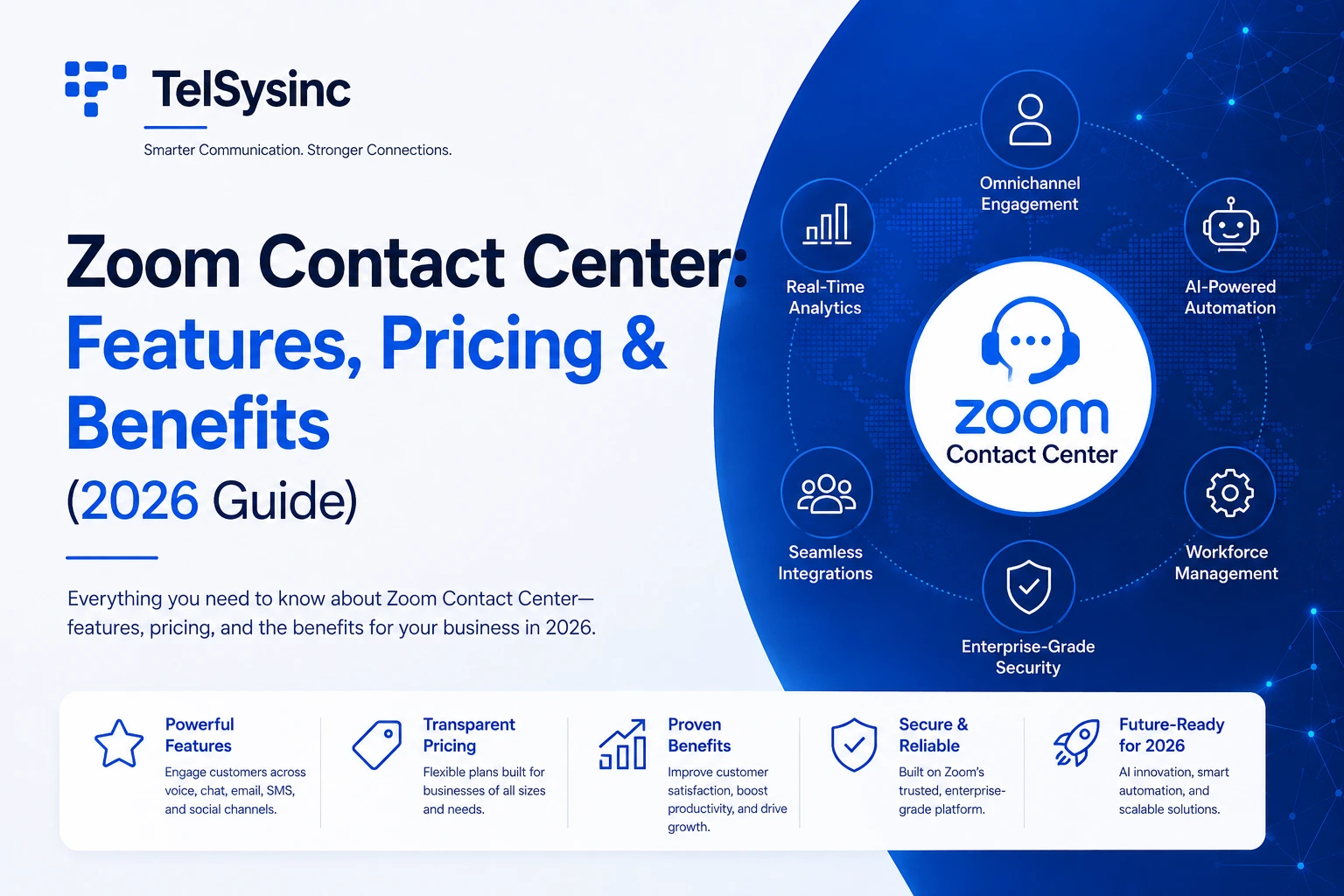
Zoom Contact Center is a cloud-based CCaaS (Contact Center as a Service) platform that brings omnichannel customer support — voice, video, chat, SMS, email, and social — into a single AI-powered interface built natively on Zoom's unified communications infrastructure.
Unlike traditional on-premise contact center systems (or even some cloud platforms that were originally on-prem hardware wrapped in a browser), Zoom Contact Center was built as a cloud-native product from the start. It combines omnichannel routing, AI-powered virtual agents, workforce management, and real-time analytics on the same infrastructure that powers Zoom Meetings and Zoom Phone.
What makes this architecturally significant: agents working in Zoom Contact Center are in the same application where they take internal calls on Zoom Phone, join team meetings, and message colleagues. There's no switching between a UC client and a separate contact center console. That operational continuity reduces training time and eliminates the friction that typically plagues multi-vendor communication environments.
The Gartner Milestone Worth Knowing
Zoom Contact Center was recognized in the 2025 Gartner Magic Quadrant for Contact Center as a Service — just three years after launching in 2022, making it the newest offering profiled in that evaluation. That trajectory matters for buyers: Zoom is one of only two companies with placements in both the UCaaS and CCaaS Magic Quadrants, having been named a Leader in UCaaS for five consecutive years.
The Gartner positioning is Niche Player — not a Leader designation — which is an honest reflection of where the platform sits relative to Genesys and NICE in terms of enterprise depth and global deployment scale. But the rate of development is notable, and 91% of Zoom Contact Center customers indicated willingness to recommend the platform in the 2025 Gartner Peer Insights Voice of the Customer report, a figure higher than many established CCaaS providers.
Zoom Contact Center Features: What's Inside the Platform
Omnichannel Routing and ACD
Zoom Contact Center handles inbound and outbound interactions across voice, video, live chat, SMS, email, WhatsApp, Facebook Messenger, and — as of late 2025 — Slack and Microsoft Teams as internal messaging channels. Agents manage all interactions from a single console within the Zoom Workplace app.
Automatic Call Distribution (ACD) routes incoming contacts to the most appropriate available agent based on skills, queue priority, and configured routing rules. IVR flows are built using a no-code Flow Editor — drag-and-drop logic without requiring developer involvement. For organizations running outbound campaigns, progressive and preview dialers are available on the Premium and Elite tiers.
Video Support: A Genuine Differentiator
Most CCaaS comparison articles list video as a Zoom differentiator and leave it there. The practical significance deserves more explanation. Video support is a meaningful capability for specific verticals: telehealth consultations where patients need face-to-face interaction with providers, financial advisory sessions where advisors walk clients through portfolio changes, and technical support scenarios where screen sharing resolves issues that would otherwise require multiple callbacks. Zoom is the only major CCaaS provider where video is native, not bolted on.
For organizations in those verticals, the difference between "we support video" and "video is built into the same infrastructure as your voice queue" is operationally significant. Cobrowsing (available on Premium and above) allows agents to see and interact with a customer's browser session for guided troubleshooting.
Zoom Virtual Agent: AI-Powered Self-Service
Zoom's AI Virtual Agent handles inbound interactions automatically — answering common questions, completing transactions, and routing to human agents when escalation is needed. It operates across both voice and digital channels, covering voice calls, chat, and SMS from a single bot configuration.
For organizations with significant self-service potential in their inbound volume, the Virtual Agent directly reduces agent handling load and extends service hours without adding headcount. Zoom reports case studies where self-service deflection reached 50% or more after implementation.
AI Expert Assist: Real-Time Agent Intelligence
AI Expert Assist surfaces real-time guidance to agents during live interactions — suggested responses, knowledge base articles, next-best-action recommendations, and customer context — without the agent needing to search for information manually.
At Zoomtopia 2025, Zoom announced that AI Expert Assist has gone agentic, meaning it can now execute actions — process a refund, update an account, schedule a callback — with agent supervision, rather than just suggesting them. That's a meaningful shift from assistant to actor.
The practical impact is measurable. AI-assisted summarization reduces after-call work from roughly 4.5 minutes to about 30 seconds per interaction. Across a 100-agent center handling 400 calls per day, that is over 2,600 hours of agent time recovered per month.
Zoom AI Companion for Contact Center
Zoom AI Companion — which includes real-time transcription, conversation summaries, and sentiment analysis — is included with every Zoom Contact Center license at no additional charge. This is a meaningful pricing difference from competitors like Genesys, where AI features are gated behind token-based consumption models that can add significant cost at scale.
Supervisors can see live sentiment indicators for every active interaction, flag conversations for coaching review, and access post-call summaries without reviewing full recordings.
Workforce Management and Quality Management
Elite-tier subscribers get Workforce Management (scheduling, forecasting, adherence monitoring) and Advanced Quality Management (call recording, scoring, evaluations, coaching) bundled. These are available as add-ons for Essentials and Premium customers who need them without upgrading the full tier.
Workforce management in a contact center context matters far beyond scheduling. Accurate forecasting prevents both understaffing (long queues, high abandon rates) and overstaffing (idle agents, unnecessary labor cost). Having these capabilities natively in the same platform — rather than integrated from a third-party WFM vendor — reduces data lag and reporting complexity.
CRM and Helpdesk Integrations
Pre-built connectors are available for Salesforce, ServiceNow, Zendesk, Microsoft Teams/Outlook, and other major CRMs and ticketing platforms. Agents can view and update CRM records directly from the Zoom interface during interactions — no alt-tabbing to a separate browser window. Open APIs support custom integrations for organizations with proprietary systems.
Zoom also supports Computer Telephony Integration (CTI), which enables screen pops (customer records automatically opening when a call connects) and click-to-dial from CRM contact records.
Security and Compliance
Zoom Contact Center supports HIPAA compliance for healthcare organizations through Business Associate Agreements, encrypted communications, and access controls. For financial services, the platform provides call recording, PCI-compliant payment processing via PCI Pal integration, and comprehensive audit trails.
PII masking during live calls prevents agents from seeing sensitive customer data (card numbers, SSNs) while still enabling the interaction to proceed. Post-call recording redaction removes sensitive data from stored recordings automatically. Organizations with the highest compliance requirements can bring their own encryption keys for cloud-stored data.
All three plans are billed annually per named agent. Concurrent licensing is also available, which can lower total cost for organizations where agents work staggered shifts and don't all need simultaneous access.
What's available as add-ons: AI Expert Assist and Workforce Management can be purchased separately by Essentials or Premium customers who need those capabilities without upgrading the entire tier. This flexibility allows cost optimization for organizations where not every agent needs every feature.
The Honest Pricing Caveat
Zoom publishes clear tier pricing, which is genuinely refreshing in a category where most competitors require custom quotes. However, metered PSTN/voice minutes are billed separately, and some features — particularly on outbound dialing and advanced AI — may carry additional costs beyond the base tier. When budgeting, add 20–30% above the per-seat tier price to account for actual usage costs in your configuration.
How Zoom Contact Center Compares to the Competition
Zoom vs. Genesys Cloud CX
Genesys is the category's dominant enterprise platform, recently reinforced by a $1.5 billion investment from Salesforce and ServiceNow. It offers the deepest customization, the most sophisticated AI capabilities (Copilot, token-based AI consumption), and a more mature global deployment footprint. Genesys Cloud CX plans start at $75/user/month for voice-only and reach $240/user for full omnichannel with AI and WFM.
Zoom Contact Center deployments typically complete in weeks — Vensure migrated 3,000 users in a single day. Typical deployments for organizations in the Zoom ecosystem complete in 4–10 weeks. Genesys Cloud CX enterprise deployments typically span 4–9 months.
That deployment speed difference translates directly into project management cost, parallel system operation cost, and time-to-value. For mid-market organizations without a dedicated CCaaS implementation team, that gap is material.
Zoom Contact Center deployments typically complete in weeks. The Zoom interface is familiar to most employees. AI is included rather than gated behind tokens. And the unified UCaaS+CCaaS architecture means one fewer vendor relationship to manage.
Genesys is the right choice for large enterprises requiring extensive customization, deep Salesforce/ServiceNow workflow integration, or migrating from legacy Genesys on-premise systems. Zoom is the better choice for Zoom-centric organizations that prioritize speed of deployment, pricing transparency, and native UCaaS integration.
Zoom vs. Five9
Five9 is a proven CCaaS platform with strong outbound dialing capabilities (four modes: progressive, preview, predictive, and power), AI-driven conversation intelligence, and a well-established CRM connector ecosystem. Its entry-level plan for full omnichannel starts around $159/user/month — above Zoom's comparable Premium tier at $99.
Five9 has the edge on outbound campaign functionality for high-volume sales and collections operations. Zoom has the edge on pricing, native video support, and simplified deployment for organizations that aren't running dedicated outbound programs.
Zoom vs. Cisco Webex Contact Center
Cisco's Webex Contact Center is built for organizations already committed to Cisco's ecosystem. It offers rich IVR capabilities, journey analytics, and unique features like the "Thrive Reset" agent wellness program. Pricing is custom-quoted, typically in the $100–$150/agent range.
Zoom's advantages over Cisco are native video support, included AI (versus Cisco's more modular AI pricing), and easier deployment outside of Cisco infrastructure environments. Cisco remains the stronger choice for enterprises with deep Cisco network and UC investments who want everything from one vendor.
Zoom vs. NICE CXone
NICE CXone is the category leader by market share, with the most mature AI capabilities following its $955 million acquisition of Cognigy in 2025. It's built for large-scale contact centers with complex routing requirements and deep quality analytics needs. Like Genesys, it's a heavier implementation with a longer time to value.
For organizations evaluating NICE, Zoom Contact Center represents a meaningful trade-off: more deployment speed and pricing transparency, less out-of-the-box depth for complex enterprise configurations.
Deploying Zoom Contact Center: What to Get Right
Define Your Routing Logic Before You Touch the Platform
The biggest delay in contact center deployments isn't technical configuration — it's discovering mid-implementation that nobody has clearly defined call flows, escalation paths, or queue membership rules. Before you open the Flow Editor, map your current routing logic on paper: every IVR branch, every queue, every overflow scenario, every after-hours path.
Build what you have first, then optimize it. Trying to redesign the routing architecture and configure the platform simultaneously is how projects run six weeks over schedule.
Run a Meaningful Pilot
A two-agent test call doesn't surface the issues that affect real operations. Pilot with a representative group across different interaction types — inbound voice, chat, escalated calls, after-hours scenarios. Include at least one supervisor actively using the monitoring and coaching tools. Collect feedback systematically, not just "anything broken?" — ask specifically about handoffs, hold behavior, and AI suggestion quality.
Train to the Features That Change Behavior
The features that deliver the most operational value — AI Expert Assist, sentiment monitoring, cobrowse, post-call summarization — are the ones agents will underuse without specific training. Don't train agents on the full feature set in a single session. Focus initial training on the interactions they'll handle in week one. Add feature training progressively as agents build confidence with the basics.
Supervisors need separate, deeper training on the analytics and WFM tools. A supervisor who doesn't know how to read queue performance dashboards or configure schedule adherence alerts will miss most of the platform's value.
Don't Skip the E911 and Security Configuration
For organizations running Zoom Phone alongside Contact Center, emergency address configuration applies to both systems. Ensure every agent location has a validated emergency address, especially for remote workers. Review PII masking settings and call recording policies before go-live — these are compliance requirements, not optional configurations.
Plan Your Post-Go-Live Optimization Cycle
The first 90 days after launch typically surface the most actionable data: which IVR branches see the highest drop-off, which queue is consistently understaffed on Tuesday afternoons, which agent group has the lowest first-contact resolution rate. Build in a formal review at 30 and 90 days to act on that data. Organizations that treat go-live as the finish line consistently underperform versus those that treat it as the starting point for continuous improvement.
Real-World Results: What Organizations Report
User reviews on Gartner Peer Insights give a grounded view of operational experience. Common themes from verified customer reviews include:
What works well: The interface familiarity for Zoom users significantly reduces agent onboarding time. Technical support responsiveness is consistently rated positively. The transition from legacy on-premise PBX systems (particularly CUCM) is reported as smoother than expected, with Zoom's implementation engineers praised for deployment support.
Where it requires discipline: Some customers note that extracting full platform value — particularly from reporting and workforce management tools — requires more configuration effort than expected. Zoom Contact Center is primarily adopted by small to midsize contact centers, but Zoom is making significant investments in R&D, AI capabilities, and go-to-market infrastructure to expand into larger enterprise deployments. Organizations with highly complex routing needs or very large agent populations should evaluate carefully whether the current platform depth meets their requirements.
The honest bottom line from operators: The platform does the basics well and delivers on its AI-first promise. Where it still lags established leaders is in the depth of enterprise-grade features for the most complex contact center environments.
Is Zoom Contact Center Right for Your Organization?
The answer depends more on your context than on any feature comparison. Here's a practical decision framework:
Strong fit for Zoom Contact Center:
- You're already on Zoom Meetings and/or Zoom Phone and want to extend your existing investment
- You're a small to mid-sized contact center (10–300 agents) that needs professional-grade tools without enterprise-scale complexity
- Deployment speed matters — you need to be live in weeks, not months
- Your use case benefits from native video support (telehealth, financial advisory, technical support)
- Pricing transparency is a priority; you want to understand costs before a sales conversation
Look at alternatives if:
- You're running 500+ agents with highly complex skill-based routing and multi-site operations that require deep customization
- Your primary need is high-volume outbound dialing — Five9's four dialer modes have the edge
- Your organization is fully Microsoft 365-centric and deeper Teams integration is the priority
- You're already on Genesys Engage or PureConnect and migrating within the Genesys ecosystem is simpler than switching platforms entirely
Conclusion: The Contact Center Platform Built for Zoom-First Organizations
Zoom Contact Center occupies a specific and defensible position in the CCaaS market: it's the most natural extension for the millions of organizations that already run on Zoom's communications platform. Being recognized in the Gartner Magic Quadrant just three years after launch validates the speed of innovation and the strength of Zoom's AI-first, unified platform strategy.
The platform isn't trying to out-Genesys Genesys. What it offers instead is something most enterprise software vendors struggle to deliver: genuine simplicity at scale, AI capabilities included rather than added on, and a deployment experience measured in weeks rather than months.
For organizations ready to modernize their customer service without re-platforming their entire communications stack, Zoom Contact Center is worth serious evaluation. Map your routing logic first, run a real pilot, and cost out your actual configuration — not just the entry-level tier price. That discipline applies regardless of which platform you choose, but it's especially important when evaluating a platform that is, honestly, still building out some of its enterprise depth.
The foundation is solid. The trajectory is strong. The question is whether it's the right fit for where your organization is today.
Last updated: 2025 | Based on Zoom product documentation, 2025 Gartner Magic Quadrant for CCaaS, verified user reviews from Gartner Peer Insights and G2, and independent operator analysis.