Zoom AI Productivity Suite: Canvas, Slides, Sheets, and Paper — features and pricing explained
Updated June 2026 · 11-min read · Covers all four tools, current pricing tiers, AI credit details, and real-world use cases
Most teams finish a meeting and immediately open a blank document to start the write-up. That gap — between what was decided and the work that documents it — is expensive. Zoom's AI Productivity Suite is built to close it. Instead of starting from scratch, each tool in the suite uses your meeting content as a first draft, generating polished deliverables from the conversation that just happened.
This guide covers all four tools (Canvas, Slides, Sheets, and Paper), explains the pricing structure clearly, and helps you decide whether the add-on is worth it for your team.
What is Zoom AI Productivity Suite?
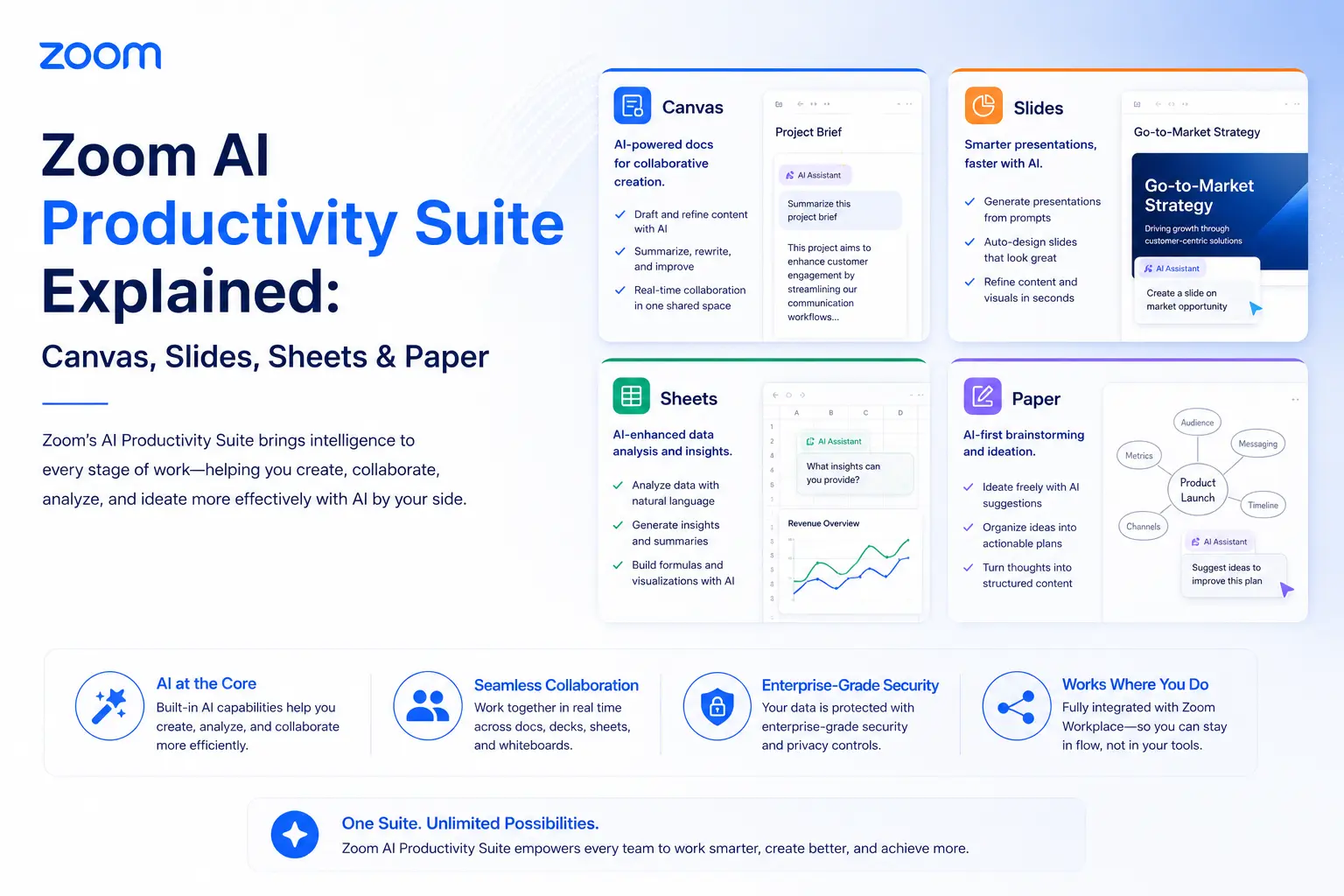
Zoom AI Productivity Suite is a set of four AI-powered content tools — Canvas, Slides, Sheets, and Paper — built into Zoom Workplace. They generate documents, presentations, spreadsheets, and collaborative workspaces directly from meeting transcripts, chat context, and text prompts, keeping all outputs connected to the original conversation.
The four tools share one key design principle: context-awareness. Instead of asking you to paste in notes or re-explain what was discussed, each tool can pull from your Zoom meeting transcript, chat history, or previous documents to generate a relevant starting point. As decisions evolve, outputs can update in real time — so you're not manually re-syncing a document to reflect last week's revised deadline.
The suite is available as a standalone add-on ($10/user/month) or bundled at no extra cost inside a ZoomMate subscription ($20/user/month). A limited free tier exists but has meaningful restrictions on AI-generated content (covered in the pricing section below).
The four tools, explained
Canvas vs Paper: which one do you need?
This is the question most new users have. Canvas is free-form and designed for work in progress — wikis, meeting notes, shared trackers where structure is flexible. Paper is for polished, finalized documents with traditional formatting requirements: a client proposal, a formal report, a policy document. Both have AI assistance, but Canvas is more adaptive and collaborative; Paper is more structured and publication-ready. In practice, teams often draft in Canvas and finalize in Paper.
Pricing: what's actually included at each tier
Zoom AI Productivity Suite costs $10/user/month (monthly billing) or $8.33/user/month (billed annually, ~$100/year). Each paid user receives 1,000 AI credits per month. The suite is also bundled inside ZoomMate at $20/user/month with 2,200 credits. A free tier exists but limits AI-generated content to 3 Canvas documents per month.
Understanding AI credits
AI credits are the unit of measure for how much AI processing a user consumes. Light tasks — reformatting a document, summarizing a short meeting — use fewer credits. Generating a full slide deck from a long meeting transcript, building a multi-tab spreadsheet from structured data, or running deep multi-source research through ZoomMate draws more. Credits reset on the first of each month and do not roll over. Administrators can monitor consumption per user in the Zoom admin console and purchase top-up credit packages if teams exceed their monthly allocation.
For most teams with moderate AI use (one or two deliverables per meeting, a few document generations per week), 1,000 credits per user is sufficient. Teams running daily high-volume content generation across all four tools should budget for credit top-ups or consider the ZoomMate plan for the higher 2,200-credit ceiling.
Note: Zoom ran an unlimited AI credits promotion through May 2026 for new subscribers. As of June 2026, standard metered credit limits apply. Check Zoom's current pricing page for any active promotions.
Real-world use cases by team type
Consultants and agencies
The suite's highest-ROI use case. A discovery call ends; Zoom Paper drafts a proposal. A strategy session wraps; Zoom Slides generates a client presentation. What typically takes two to four hours of post-meeting documentation compresses into a reviewable draft in minutes. The context-awareness matters here: the AI pulls specifics from the actual conversation rather than writing generic placeholders.
Sales teams
After a demo call, Zoom Paper can generate a tailored follow-up summary with next steps. Zoom Sheets builds a pricing comparison or ROI model from numbers discussed during the call. Zoom Slides turns a verbal pitch into a leave-behind deck — all without the rep leaving the Zoom environment or switching to a different tool.
Project managers
Zoom Canvas is particularly well-suited here. Sprint planning notes become a living project wiki that updates as new decisions come in. A kick-off meeting auto-generates a project timeline tracker. When priorities change in next week's standup, the Canvas document reflects the latest discussion rather than sitting as an outdated static file.
HR and operations teams
Onboarding documentation, policy drafts, interview summary reports — Zoom Paper handles structured document creation from verbal or transcribed input. When an orientation meeting wraps, Paper can draft the follow-up checklist and onboarding guide without manual transcription. Zoom Canvas keeps those docs live and editable as policies evolve.
How it compares to Microsoft 365 Copilot and Google Workspace
The key differentiator is meeting integration. If your organization runs meetings in Zoom, the AI Productivity Suite's context-awareness makes it significantly more useful than adding Copilot or Gemini for document tasks alone — because those tools don't have access to what was discussed in your Zoom calls. The outputs from Copilot or Workspace AI start from prompts or existing files. Zoom's suite starts from the meeting itself.
The practical guidance: if your organization is already Microsoft-first and pays for Copilot, duplicating with the Zoom suite may not add enough value to justify the cost. If you're Zoom-first and don't use Microsoft 365 Copilot, the $10/user/month suite is a compelling replacement for ad-hoc document tooling.