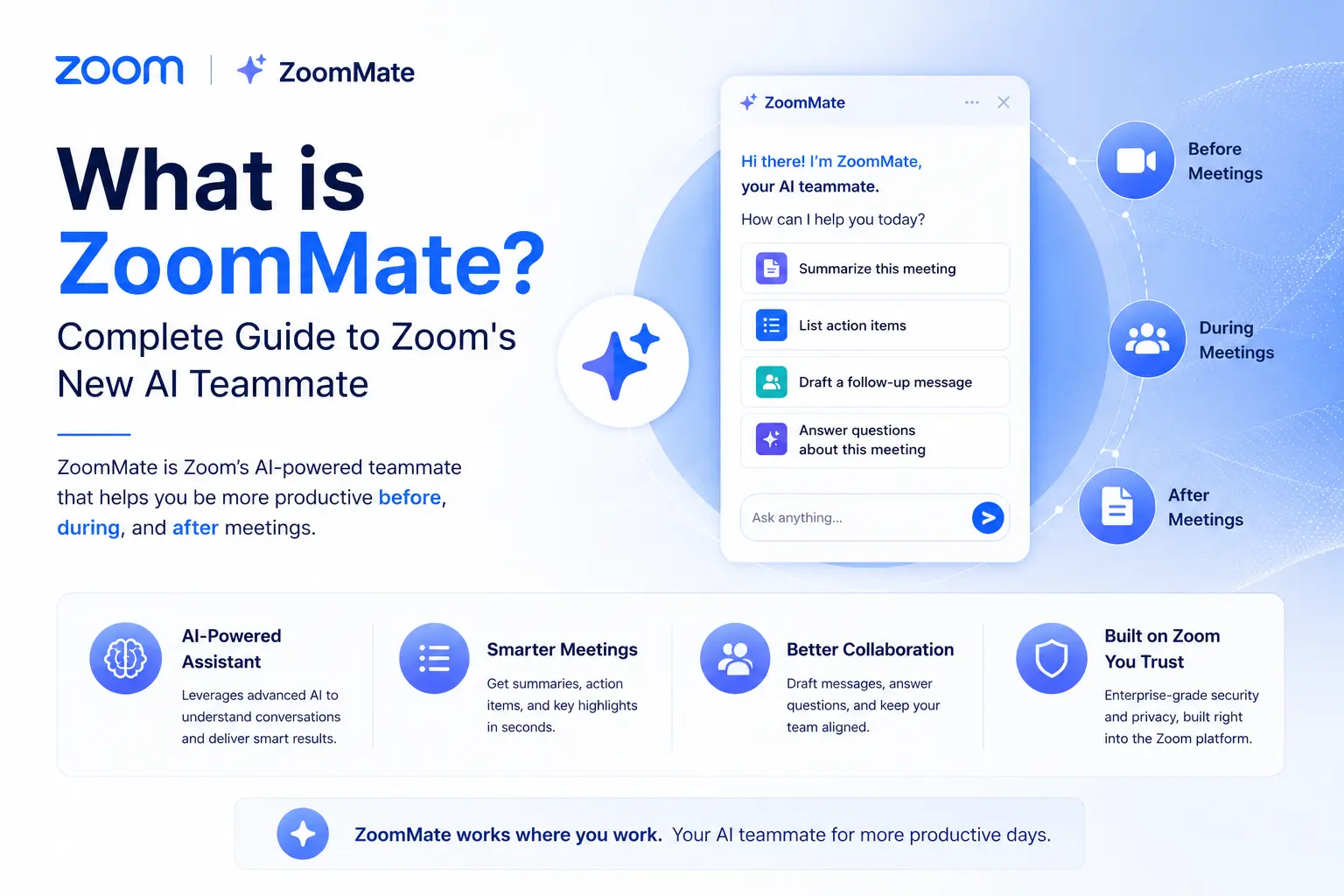
What is ZoomMate? The complete guide to Zoom's AI teammate (2026)
Published June 2026 · 10-min read · Covers features, pricing, AI credits, integrations, and how to get started
In this guide
- What ZoomMate actually is (and isn't)
- Core features explained
- Pricing, plans, and AI credits
- ZoomMate vs. alternatives
- How to get started
- FAQs
Every organization has the same problem: great decisions get made in meetings, then nothing happens. Someone has to manually update the CRM, draft the follow-up email, create the Jira ticket, and schedule the next check-in. That friction — between "we decided" and "we did" — is exactly what ZoomMate is designed to eliminate.
Launched in June 2026 as part of Zoom Workplace, ZoomMate is an agentic AI assistant that connects meeting conversations directly to action across the tools your team already uses. This guide covers everything you need to know: what it does, what it costs, how it compares to alternatives, and whether it's worth adding to your stack.
What ZoomMate actually is
ZoomMate is Zoom's agentic AI assistant that turns meeting conversations into completed work — automatically searching enterprise systems, creating documents, and executing tasks across tools like Salesforce, Jira, Slack, and Google Workspace.
The word "agentic" is doing real work here. Traditional AI meeting tools stop at the transcript. ZoomMate starts there. After a meeting, it can create tasks, update records in third-party systems, generate full documents, and schedule follow-ups — without you manually initiating each step.
Zoom describes it as a "system of action": the idea that live collaboration should directly produce results, not just notes. As Zoom's Chief Product Officer Russell Dicker explained at launch, ZoomMate "connects what was decided to what needs to happen next across every system where your work lives."
It lives inside Zoom Workplace and operates across meetings, Zoom Chat, calendar, and connected enterprise apps — functioning more like a persistent AI coworker than a feature you toggle on for individual calls.
ZoomMate's core features
Conversational AI search
Ask ZoomMate a question in plain language and it searches across Zoom content (meetings, chats, call logs) and your connected apps simultaneously. Results from Salesforce records, Google Drive files, SharePoint documents, Confluence pages, and ServiceNow tickets all surface in a single response — ranked by relevance and filtered to only what you're authorized to see. No app-switching, no separate search windows.
You can also toggle between searching your organization's data and the open web, making it useful for both internal research and real-time market context within the same session.
Agentic task automation
This is the feature that separates ZoomMate from note-takers. Based on meeting outcomes, it can proactively create Jira tickets, update Salesforce opportunities, schedule calendar events in Google Calendar or Outlook, draft follow-up emails, and trigger multi-step workflows — all without a manual prompt for each action.
Teams can set up recurring automations (like a weekly project status briefing pulled from active tickets and meeting notes) or build custom agents for specific workflows — a recruiting agent that filters applicants, for example, or a client onboarding routine that fires after a kickoff call. No coding required.
AI Productivity Suite (included with ZoomMate)
Every ZoomMate subscription includes Zoom's full AI Productivity Suite — four content tools that turn meeting context into polished deliverables:
- Zoom Slides — generates presentation decks directly from meeting transcripts or text prompts
- Zoom Sheets — compiles structured data (project trackers, metrics, task lists) from conversation context into spreadsheets
- Zoom Paper — produces Word-compatible documents including proposals, reports, and policy drafts grounded in actual meeting data
- Zoom Canvas — a collaborative workspace (formerly Zoom Docs) for shared notes, wikis, and decision logs that updates as outcomes change
The suite is also available as a standalone Zoom add-on for $10/user/month, but ZoomMate users get it bundled at no extra cost.
Enterprise integrations
ZoomMate ships with native connectors for the most common enterprise tools: Salesforce, Jira, Slack, Google Workspace (Calendar and Drive), Microsoft 365 (Outlook, OneDrive, SharePoint), ServiceNow, Confluence, and Workday. The integration is bidirectional — ZoomMate can read from and write to these systems, not just pull context.
For tools not on that list, Zoom's no-code workflow builder lets administrators configure custom connectors without involving engineering.
AI note-taking and meeting summaries
Unlimited AI meeting notes are included with every paid ZoomMate license. During or after a session, ZoomMate generates structured summaries, captures action items, and surfaces key decisions — available in Zoom Chat immediately after the meeting ends. The "catch me up" feature lets users who joined late or missed a meeting get an instant summary on demand rather than scrubbing through a recording.
Memory and personalization
ZoomMate retains context across sessions via a built-in memory layer. It learns your projects, preferences, and recurring workflows over time, so responses sharpen without constant re-prompting. Users can also build named "skills" — saved workflows tied to triggers like calendar events, incoming Slack messages, or scheduled times — that run automatically when conditions are met.
ZoomMate pricing and plans
ZoomMate costs $20 per user per month (monthly billing) or approximately $16.67/user/month when billed annually ($200/user/year). Each licensed user receives 2,200 AI credits per month, which reset monthly and cannot roll over.
Understanding AI credits
AI credits are ZoomMate's usage currency. Simple tasks — a quick meeting summary, a short search query — consume relatively few credits. Complex tasks like deep multi-source research, generating a full slide deck from scratch, or running an automated multi-step workflow draw more. Admins can monitor credit consumption through the Zoom admin console and purchase additional credits if a team's monthly allotment runs short.
The 2,200 monthly credit allocation is generally sufficient for regular use across meetings, searches, and routine document generation. Heavy automation users on large teams should factor potential add-on credit costs into their budget planning.
ZoomMate Basic (free tier)
A limited free tier — ZoomMate Basic — is available for users on Zoom Workplace Basic accounts (launching soon after the initial rollout). It provides a restricted set of AI features: a small number of meeting summaries per month, basic note-taking, and limited workflow runs. It's genuinely useful for evaluating the product but won't replace the paid plan for teams with real automation needs.
What's required to use ZoomMate
ZoomMate requires a qualifying Zoom Workplace plan (Pro, Business, or Enterprise) with the AI Companion add-on. It is not available on Zoom Basic accounts except through the limited free tier. North American availability launched in mid-2026; EMEA and APAC rollouts are expected later in 2026.
ZoomMate vs. other AI meeting tools
The most useful comparison isn't between ZoomMate and other AI assistants — it's between what ZoomMate does and what those tools don't.
Otter.ai, Fireflies, and tl;dv are excellent if you need transcription and summaries at a lower cost. Where they stop is where ZoomMate starts — these tools capture what was said; ZoomMate acts on it. If your team regularly needs to update CRM records, create deliverables, or trigger multi-app workflows after meetings, no other tool on this list does that natively.
Microsoft 365 Copilot is the closest in ambition, but it's built for Microsoft-first organizations and doesn't integrate with Zoom, Salesforce, or most external business tools in the same way. It's also more expensive. If your organization runs on Teams and Office, Copilot makes more sense. If you run on Zoom, ZoomMate is the more coherent choice.
How to get started with ZoomMate
- Confirm you're on a Zoom Workplace plan (Pro, Business, or Enterprise). ZoomMate requires the AI Companion package — check your current subscription or contact Zoom sales to add it.
- Purchase ZoomMate licenses for the users who need access. Billing is per user, so you only pay for the seats you activate.
- Connect your data sources in the Zoom admin console — Salesforce, Google Drive, Jira, Slack, and others. This is what enables ZoomMate to search and act across your ecosystem.
- Start small. Pick one routine workflow — post-call CRM updates, weekly status reports, or action-item creation — and automate it first. Expanding from a proven use case is faster than trying to configure everything at once.
- Train your team on credit management. Walk users through the difference between light tasks and heavy ones so the monthly 2,200-credit budget stretches appropriately.
Zoom provides a ZoomMate Getting Started guide and in-product onboarding. Enterprise buyers can also request a demo or trial access through Zoom's sales team before committing to full deployment.
Otter.ai, Fireflies, and tl;dv are excellent if you need transcription and summaries at a lower cost. Where they stop is where ZoomMate starts — these tools capture what was said; ZoomMate acts on it. If your team regularly needs to update CRM records, create deliverables, or trigger multi-app workflows after meetings, no other tool on this list does that natively.
Microsoft 365 Copilot is the closest in ambition, but it's built for Microsoft-first organizations and doesn't integrate with Zoom, Salesforce, or most external business tools in the same way. It's also more expensive. If your organization runs on Teams and Office, Copilot makes more sense. If you run on Zoom, ZoomMate is the more coherent choice.
How to get started with ZoomMate
- Confirm you're on a Zoom Workplace plan (Pro, Business, or Enterprise). ZoomMate requires the AI Companion package — check your current subscription or contact Zoom sales to add it.
- Purchase ZoomMate licenses for the users who need access. Billing is per user, so you only pay for the seats you activate.
- Connect your data sources in the Zoom admin console — Salesforce, Google Drive, Jira, Slack, and others. This is what enables ZoomMate to search and act across your ecosystem.
- Start small. Pick one routine workflow — post-call CRM updates, weekly status reports, or action-item creation — and automate it first. Expanding from a proven use case is faster than trying to configure everything at once.
- Train your team on credit management. Walk users through the difference between light tasks and heavy ones so the monthly 2,200-credit budget stretches appropriately.
Zoom provides a ZoomMate Getting Started guide and in-product onboarding. Enterprise buyers can also request a demo or trial access through Zoom's sales team before committing to full deployment.