
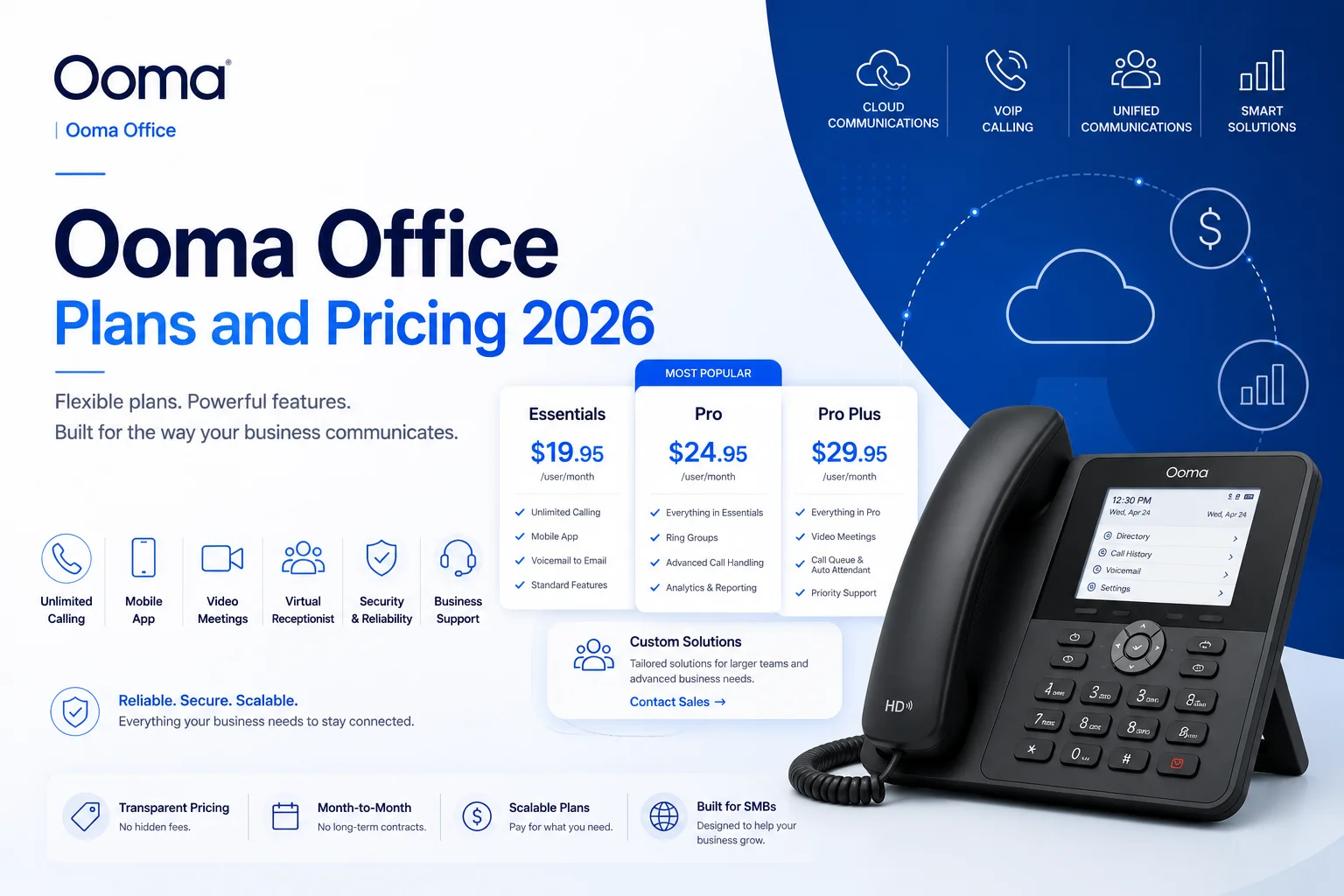
Ooma Office Plans and Pricing 2026: Complete Breakdown
A traditional business landline still runs $40–$50 per line in most markets. Ooma Office starts at less than half that — $19.95 per user, per month, with zero contracts — and still manages to pack in more than 50 built-in features on its entry tier. That combination is exactly why Ooma has become one of the go-to VoIP picks for small businesses that want enterprise-style calling without an enterprise-style bill.
Here's a full breakdown of what each Ooma Office plan actually includes in 2026, where the real feature gaps are, and who should — and shouldn't — consider it.
What Is Ooma Office?
Ooma Office is a cloud-hosted business phone system built specifically for small and mid-sized teams. There's no on-premises PBX to install or maintain — you pick a plan, port your existing number for free, and start calling through a preconfigured IP phone, the desktop app, or the mobile app. Most customers are up and running within 15–20 minutes.
Ooma Office has been recognized in PCMag's Business Choice Awards for VoIP phone service, and it consistently earns strong marks from reviewers — a 4.6 out of 5 on G2 based on verified reviews — with "value for the price" showing up as the single most repeated theme in customer feedback.
Quick Answer: How Much Does Ooma Office Cost?
Ooma Office has three self-serve plans, all billed month-to-month with no annual contract option: Essentials at $19.95/user/month, Pro at $24.95/user/month, and Pro Plus at $29.95/user/month. A custom-priced Enterprise plan is available for larger organizations that need Microsoft Teams integration or contact-center features.
Ooma Office Plans and Pricing Breakdown
Essentials — $19.95/user/month
Essentials is the calling-first tier: more than 50 standard features, unlimited calling across the US, Canada, Mexico, and Puerto Rico, a virtual receptionist, ring groups, call park, call logs, a company directory, and analog/virtual fax support. Every user gets a free toll-free number and a local extension. Mobile apps for iOS and Android are included.
What's missing matters just as much as what's included: there's no desktop softphone calling and no business texting on this tier — which is a notable gap for a "communications platform," and one reason many teams find themselves upgrading within their first quarter.
Pro — $24.95/user/month
Pro is where Ooma Office starts feeling like a full-featured system. It includes everything in Essentials, plus:
- A functional desktop softphone app
- Business SMS/MMS texting, capped at 250 messages per month
- Video conferencing for up to 25 participants
- Call recording and voicemail transcription
- Enhanced call blocking and dynamic caller ID
One detail worth flagging clearly: the 250-message SMS cap is per account, not per user. For a 5-person team that's roughly 50 messages per person monthly — workable for occasional use, tight for anything customer-facing at volume. Pro is generally the right fit for teams of 3–25 that need to text customers, hop on the occasional video call, and pull up a recorded call from the day before, without stitching together separate tools for each.
Pro Plus — $29.95/user/month
Pro Plus is Ooma's most complete self-serve tier, built for higher call volume and more complex workflows. On top of everything in Pro, you get:
- Video meetings for up to 100 participants
- AI-powered call transcriptions and insights
- CRM integrations (Salesforce, Zoho CRM, Clio, NexHealth, AgencyZoom, Zapier, and others)
- Team chat and channels
- Hot desking
- Call queuing (up to 15 queues)
- An auto dialer — useful specifically for outbound sales teams
- Shift-to-text (lets a caller switch to texting mid-call)
- Online booking links
- SMS capacity up to 1,000 messages/month — again, per account rather than per user
Pro Plus is also the only self-serve tier that includes HIPAA Mode, which enables encrypted voicemail, fax, and recordings, strips media attachments from notification emails, and unlocks a signed Business Associate Agreement (BAA). If your organization handles protected health information, this distinction matters — Essentials and standard Pro do not include a BAA and shouldn't be used for PHI. Healthcare buyers should specifically confirm the BAA is active during signup rather than assuming it's bundled by default.
Enterprise — Custom Pricing
For larger organizations or contact centers, Ooma offers a custom Enterprise plan layered on top of Pro Plus, adding SIP trunking (so you can keep existing phone infrastructure but route it over the internet), Microsoft Teams Direct Routing, contact-center features like whisper and barge, skills-based routing, and dedicated implementation support. You'll need to contact Ooma sales for a quote — this tier isn't self-serve.
Additional costs to plan for:
- Extra phone numbers beyond your first free one: $9.99/month per US number ($14.95 CAD for Canadian numbers)
- International calling outside the US/Canada/Mexico/Puerto Rico bundle is billed per minute or through a prepaid plan
- No discount for paying annually — Ooma's billing is month-to-month across every tier, which is itself part of the value proposition
Features Included Across Every Plan
Regardless of tier, every Ooma Office plan includes:
- Unlimited calling across the US, Canada, Mexico, and Puerto Rico
- A free toll-free number
- 24/7 live customer support
- Mobile apps for iOS and Android
- Voicemail and virtual fax
- A single, web-based admin portal for managing the whole system
Where Ooma Office Actually Shines
Genuinely affordable, with no hidden contract traps. Every plan is month-to-month — cancel anytime, add or remove seats as your team changes size, with no early termination fee anywhere in the lineup. That's actually rarer than it sounds; several competitors (Zoom Phone's bundled plans, for example) still require annual commitments for anything beyond the most basic tier.
Fast, DIY setup. No professional installation required. Phones arrive preconfigured, or you can skip hardware entirely and run everything through the desktop and mobile apps.
Strong baseline feature set. Even the cheapest tier includes a virtual receptionist, ring groups, and a free toll-free number — features some competitors reserve for mid-tier plans.
AI tools are genuinely built in, not bolted on. AI-powered transcriptions and call insights are included standard on Pro Plus rather than sold as a separate line item.
Where It Falls Short
The feature gap between tiers is wide, and it's designed that way. Essentials deliberately omits texting and desktop calling — features most businesses would consider baseline — which nudges a large share of buyers toward Pro within their first few months.
SMS caps are account-wide, not per-user, and that scales badly. At 12 seats on Pro Plus, the 1,000-message cap works out to roughly 83 messages per user monthly — workable. At 25 seats, that drops to about 40 per user, which is thin for any team doing real customer-facing texting.
No call-center features on the self-serve tiers. Whisper, barge, and skills-based routing are locked to the custom-quoted Enterprise plan, which means teams that outgrow basic ring groups have to go through a sales conversation rather than a self-serve upgrade.
HIPAA compliance isn't available until Pro Plus. Healthcare practices evaluating the cheaper tiers need to know upfront that PHI-related use cases require the top self-serve plan (or Enterprise), not Essentials or standard Pro.
The clearest differentiator for Ooma is the complete absence of contracts across every tier, paired with unlimited domestic calling included by default — some competitors gate full domestic calling behind higher tiers or annual commitments. The trade-off is texting capacity and advanced contact-center functionality, both of which are more limited than what you'd get from RingCentral or a dedicated contact-center platform like Aircall.
Who Should Consider Ooma Office?
Ooma Office fits best for:
- Small and micro businesses (under 15 seats) that want reliable calling without an annual commitment
- Solopreneurs and small teams on Essentials who mainly need dependable inbound/outbound calling and a professional virtual receptionist
- Growing SMBs (3–25 employees) on Pro — insurance brokers, dental offices, real estate teams, and small agencies are common fits, since they need texting and occasional video without full contact-center complexity
- Businesses already using QuickBooks, Google Workspace, or a supported CRM who want those integrations without extra middleware
Where Ooma tends to fall short: teams above roughly 15–25 seats start running into the SMS caps and the lack of built-in call-center tooling, at which point RingCentral, Nextiva, or Zoom Phone often make more sense on the math. International-heavy businesses should also look elsewhere, since Ooma's calling coverage is limited to North America by default.
Setup and Support
Getting started typically takes 15–20 minutes: select a plan, port your existing number (porting is free for standard US and Canada numbers, including toll-free), and either plug in a compatible IP phone or start calling through the desktop or mobile app — no physical hardware is required. Every plan, including Essentials, includes 24/7 live support via phone and chat, and Enterprise customers get a dedicated account manager for onboarding.








