
How Does Nextiva's VoIP Phone System Actually Work? (2026 Guide)
If you've ever wondered why your office phone bill keeps climbing while a competitor down the street pays a flat monthly rate and gets video conferencing thrown in for free, the answer is usually one word: VoIP.
Nextiva is one of the most recognizable names in that space, and for good reason — it's grown to serve well over 100,000 businesses, from two-person startups to global brands running hundreds of locations. But "cloud phone system" is a vague pitch until you understand what's actually happening between the moment you speak into a handset and the moment someone hears you on the other end.
This guide breaks that down in plain English: how Nextiva routes your calls, what you actually get for your money in 2026, where the hidden costs hide, and how it stacks up against the traditional phone lines it's replacing.
What Is Nextiva's VoIP Phone System?
Nextiva's VoIP phone system is a cloud-hosted PBX — meaning the equipment that used to sit in your server closet now lives in Nextiva's data centers instead of yours.
Practically speaking, that means:
- No on-site phone switch to maintain, patch, or replace every five years
- Employees connect through IP desk phones, a softphone app, or both
- Nextiva's servers handle the call logic: extensions, voicemail, call forwarding, auto-attendants, and everything else that used to require a technician on-site
Because the PBX is hosted rather than owned, adding a new hire is a five-minute task in an admin portal — not a work order for someone to run new cabling.
How Nextiva's VoIP Technology Works, Step by Step
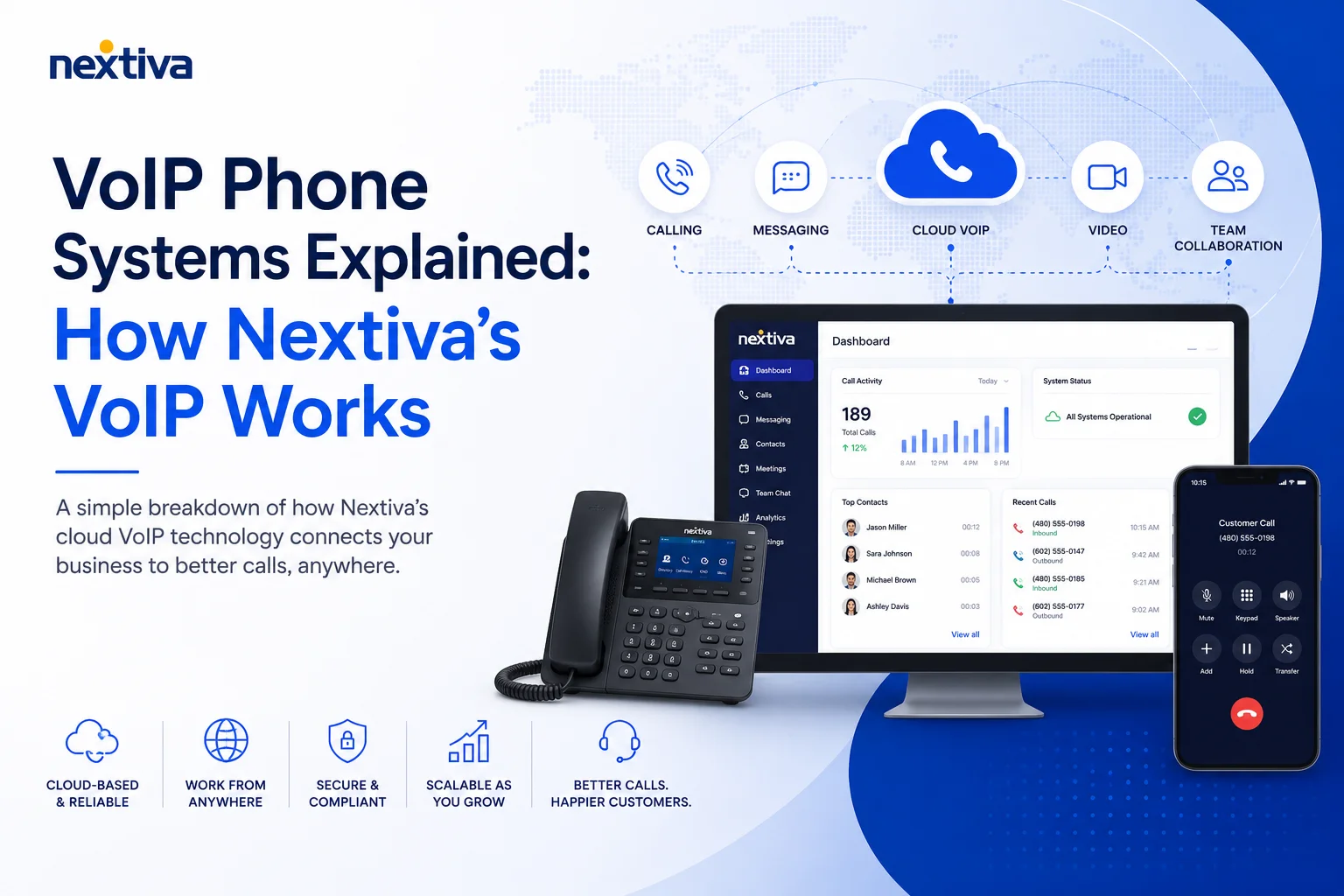
In short: Nextiva converts your voice into digital data packets, sends them over the internet to its cloud network, and routes them to the recipient — either directly to another Nextiva user or out to the regular phone network.
Here's what that looks like in practice.
Step 1: Your Voice Becomes Data
When you talk into a Nextiva IP phone or the NextivaOne app, the device digitizes your voice into small data packets almost instantly.
Step 2: Nextiva's Network Routes the Call
Where those packets go next depends on who you're calling:
- VoIP-to-VoIP calls — If you're calling another Nextiva user, the entire call stays inside Nextiva's cloud. The platform identifies the recipient's extension and delivers the audio packets to their device in real time.
- VoIP-to-PSTN calls — If you're calling a landline or a mobile number outside Nextiva's network, the platform hands your call off to the Public Switched Telephone Network (PSTN) — the traditional phone grid — so the person on the other end hears you exactly as they would on any normal call.
Step 3: Protocols Do the Heavy Lifting
Two technical standards make this possible: SIP (Session Initiation Protocol) handles setting up and ending the call, while RTP (Real-Time Protocol) carries the actual audio stream. Because everything is packet-based rather than running over dedicated copper wiring, call setup typically takes under a second, and features like HD audio codecs are simply a software update away rather than a hardware upgrade.
Key Features That Come With Nextiva's VoIP Service
What actually differentiates Nextiva from "just a phone" is the amount of built-in functionality that ships with every plan.
Call Management
- Auto-attendant / IVR — Greets callers and routes them ("Press 1 for sales, 2 for support") without a human touching the phone
- Call queues and ring groups — Distributes incoming calls across a team so no single line gets overwhelmed
- Call forwarding and call flip — Move an active call between your desk phone, laptop, and mobile without dropping it
- Voicemail-to-email and AI transcription — Voicemails land in your inbox as an audio file and a text transcript
Collaboration and Multimedia
- HD voice — Wideband audio codecs that noticeably reduce static and background noise compared to analog lines
- Video conferencing — Built directly into the platform, so teams can jump from a call to a video meeting without opening a separate app
- Team chat and business SMS — Internal messaging and customer-facing texting live inside the same interface as your calls
Mobility
The NextivaOne app (iOS, Android, Windows, macOS) mirrors your business extension on any device, so your phone number — and your caller ID — follows you, not your desk.
Analytics and Integrations
Built-in dashboards track call volume, talk time, and agent performance, and Nextiva connects with CRM and helpdesk tools like Salesforce, HubSpot, and Zendesk, plus a direct Microsoft Teams integration, so customer context shows up on-screen the moment a call comes in.
Infrastructure and Reliability: What "99.999% Uptime" Actually Means
Nextiva backs its service with a 99.999% uptime SLA — the "five nines" standard — which works out to roughly five minutes of downtime per year. That claim rests on eight geo-redundant, carrier-grade points of presence around the world. If one data center or network route has an issue, traffic automatically fails over to another, so a regional outage doesn't mean your phones go silent.
For context: a standard analog phone system has no such failover. If the copper line into your building is cut or the on-site PBX dies, calls stop — full stop, no rerouting, no backup path.
That said, "five nines" is a shared-infrastructure commitment, not a guarantee against every possible disruption. Nextiva runs on a multi-tenant cloud, meaning your business shares network capacity with other customers — which is standard for large UCaaS providers, but worth knowing if uptime is mission-critical for you. Ask any VoIP vendor for their actual historical uptime data (not just the advertised SLA) before signing a multi-year contract.
Security and Compliance
Voice traffic on Nextiva is encrypted in transit using two layers: TLS protects the call signaling (preventing call hijacking), and SRTP encrypts the actual audio stream. Nextiva's data centers carry ISO 27001 and SOC 2 certifications, with regular third-party audits.
For emergencies, Nextiva supports Enhanced 911 (E911), which sends your registered business address to dispatchers automatically. One practical tip: keep that address current in your account settings — if you move a phone to a new location without updating it, 911 responders may be sent to the wrong address.
Setting Up Nextiva: What to Expect
Getting a Nextiva system running is far less involved than a traditional PBX install:
- Plug-and-play IP phones — Devices arrive pre-provisioned. Plug one into an Ethernet port and it registers itself.
- Keep your existing analog phones (if you want) — An Analog Telephone Adapter (ATA) converts a regular handset into a VoIP-compatible device, though you'll lose some HD-audio and power-redundancy benefits compared to a native IP phone.
- Port your existing numbers — Sign a digital Letter of Authorization and Nextiva transfers your current local or toll-free numbers over, so nothing changes for people calling you.
- Connect your other tools — Microsoft Teams integration and CRM connectors let call data flow into the systems your team already uses.
What Does Nextiva Actually Cost in 2026?
This is where a lot of published comparisons go stale fast, so here's where pricing stands as of mid-2026.
A few things worth knowing before you budget:
- Monthly billing costs more. The advertised entry price typically requires annual billing and a 12-month minimum commitment; paying month-to-month often pushes the Core plan closer to $23/user.
- Mandatory add-on fees exist. Nextiva charges a Regulatory Recovery Fee and an E911 fee per line, on top of standard telecom taxes (USF) — these aren't unique to Nextiva, but they do mean the sticker price and the invoice total won't match.
- AI features are usually a separate line item. Tools like AI call summaries or an AI receptionist often sit in an add-on plan rather than being bundled into your per-seat price.
- How it compares: RingCentral's Core plan runs roughly double Nextiva's entry price but ships with far more third-party integrations out of the box (300+ vs. roughly 20). Quo (formerly OpenPhone) matches Nextiva's $15/user starting price but with a simpler, calling-first feature set rather than Nextiva's full customer-experience suite.
Bottom line: get an itemized quote before you sign, and ask specifically about the RRF/E911 fees and whether the features you actually need (call recording, analytics, AI tools) are included in the tier you're being quoted.
Nextiva VoIP vs. Traditional Phone Systems
The Bottom Line
Nextiva's pitch is straightforward: replace a phone closet full of aging hardware with a cloud platform that includes video, messaging, analytics, and CRM integrations for one flat per-user price — backed by an infrastructure designed to fail over rather than fail. For businesses that use the full feature set, that combination genuinely competes with running four or five separate tools. If all you need is dial tone, it's worth comparing against simpler, cheaper competitors before committing to a multi-year contract.
Either way, get a live demo, ask for an itemized quote including regulatory fees, and test call quality on your own network before you sign anything.








