
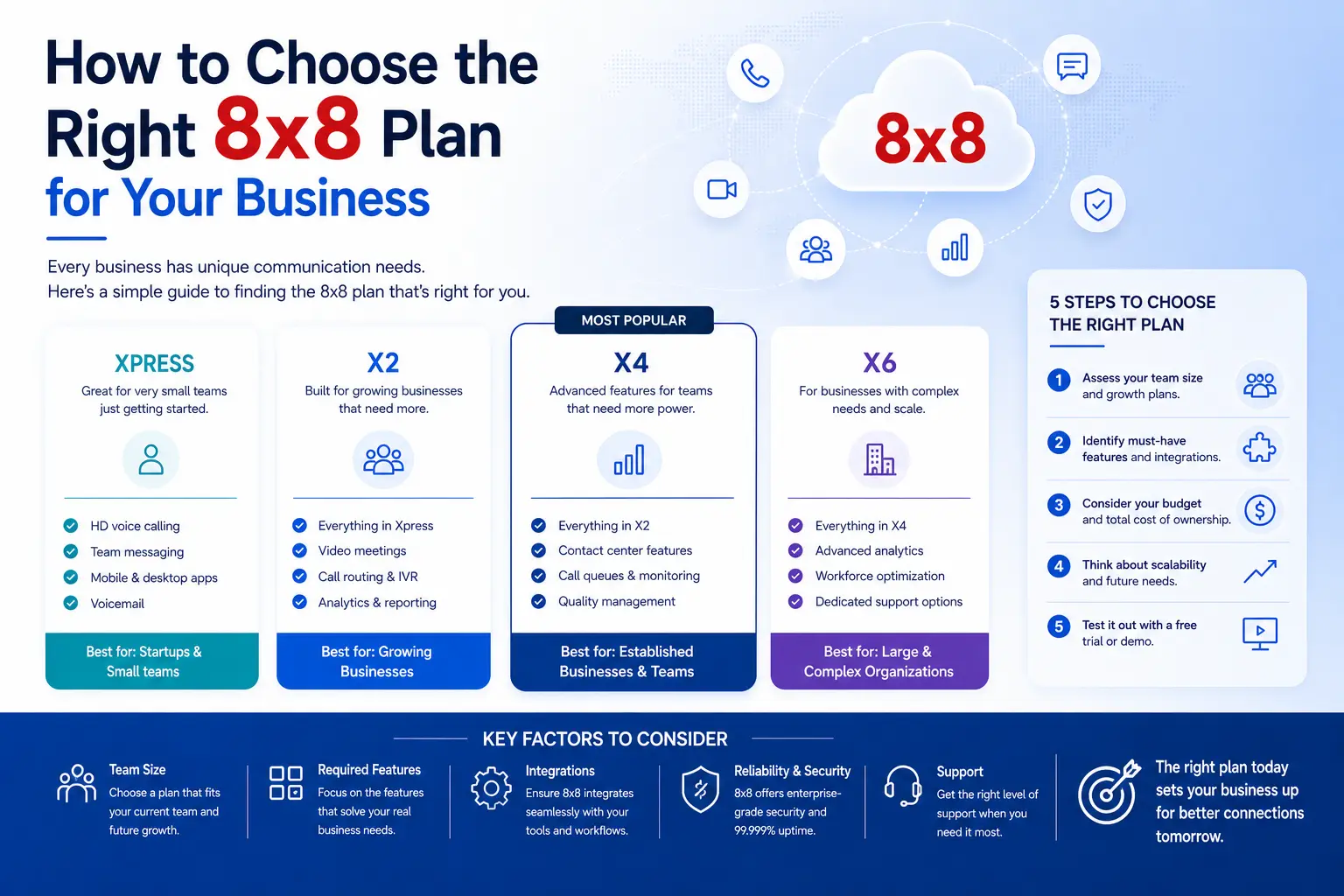
How to Choose the Right 8x8 Plan for Your Business (2026 Guide)
Picking a business phone system is the easy part. Picking the right plan inside that system is where most teams quietly overspend, or worse, end up locked into a tier that can't actually do what they need six months from now.
If you're staring at 8x8's lineup — X2, X4, X6, X7, X8 — and trying to figure out which one fits your business without paying for features you'll never touch, this guide walks through it step by step. No fluff, no sales pitch, just a clear framework based on team size, use case, and budget.
What Are the 8x8 Plans? A Quick Breakdown
8x8 sells two separate product lines that often get lumped together: 8x8 Work (unified communications — calling, video, messaging) and 8x8 Contact Center (customer support and sales operations). The legacy X2–X8 naming still shows up across pricing pages and reseller quotes, so here's how it breaks down in practice:
- X2 — Entry-level unified communications. Calling, video meetings, team messaging, basic integrations.
- X4 — Adds supervisor analytics, call monitoring (barge/whisper/monitor), and expanded international calling.
- X6 — The first true contact center tier: automatic call distribution (ACD), IVR, skills-based routing, call recording.
- X7 — Everything in X6 plus email, SMS, and social media channels.
- X8 — Full omnichannel routing with unified queues, plus quality management and speech analytics built in.
Quick answer: Each tier builds on the one before it, so X4 includes everything in X2, X6 includes everything in X4, and so on. The jump that matters most is between X4 and X6 — that's where you move from "phone system" to "contact center."
8x8 Plan Comparison Table (2026 Pricing & Features)
Here's where the published numbers and real buyer data land, pulled from current vendor pricing, Capterra listings, and procurement benchmarking platforms like Vendr.
How to Choose the Right 8x8 Plan: A Step-by-Step Framework
1. Start With Your Team Size
This is the fastest filter, even though it's not the only factor.
A bigger headcount doesn't automatically mean you need a pricier plan — but it usually means you need more visibility into how calls and conversations are handled, which is exactly what X4 and up provide.
2. Match the Plan to Your Actual Use Case
Team size gets you in the right neighborhood. Use case tells you the exact house. Ask yourself:
- Do you only need reliable calling and video for internal collaboration? → X2 covers it.
- Do you need call analytics, monitoring, or CRM integrations because managers need visibility into call quality? → X4 is built for this.
- Are you running a dedicated support or sales team that lives and dies by call volume, routing, and reporting? → You need X6 or above — X2 and X4 simply don't include contact center functionality (no ACD, no IVR), no matter how many users you add.
3. Set a Realistic Budget — Including Hidden Costs
The sticker price isn't the whole story. A few costs catch people off guard:
- Additional phone numbers: $2–$10/number/month beyond what's included
- Setup and implementation fees: $1,000–$25,000+ for larger or Contact Center deployments
- Extended call recording storage: Sold separately once you exceed the included 30-day (X2) or 130-day (X4+) window
- Quality management and speech analytics: Often an add-on even on X6/X7, sometimes bundled only at X8
- E911 service fees: Roughly $2/extension/month
None of these are deal-breakers, but they should be in your spreadsheet before you sign, not discovered on your first invoice.
4. Build a Feature Checklist Before You Talk to Sales
Walk in knowing exactly what you need — it keeps the conversation focused and stops you from getting upsold on things you'll never use.
Common must-haves to check off:
- Call recording (and how long you need it retained)
- CRM integration (Salesforce, Zendesk, HubSpot, etc.)
- Auto-attendant and call routing
- Real-time analytics and supervisor dashboards
- Omnichannel support (chat, email, SMS) if you run a support team
If a feature isn't on your list, don't let it justify jumping a tier.
5. Think Two Years Ahead, Not Two Months
This is the mistake that costs businesses the most money long-term: choosing the cheapest plan today and migrating mid-contract once you outgrow it. Switching tiers later usually means renegotiating, re-training staff, and sometimes eating early termination penalties if you're locked into a multi-year deal.
A smarter approach:
- Choose the plan that fits where your team will be in 12–18 months, not just today
- If you're between two tiers, lean toward the higher one if growth is likely
- Ask your 8x8 rep about contract flexibility for mid-term upgrades — most reps can structure this if you ask upfront
Best 8x8 Plan by Business Type
5 Mistakes Businesses Make When Choosing an 8x8 Plan
- Picking the cheapest plan without checking feature gaps. X2 looks great on price until you realize it has no call recording or supervisor analytics.
- Ignoring growth. A plan that fits today's 8-person team can feel cramped at 25 people, especially around reporting and integrations.
- Skipping the integration check. If your CRM or helpdesk isn't natively supported at your tier, you'll pay for middleware or a tier upgrade anyway.
- Overbuying "just in case." Paying for X6 contact center routing when you don't run a support team is money down the drain.
- Not testing internet readiness first. Call quality issues are often a bandwidth problem, not an 8x8 problem — confirm your network can handle concurrent calls before blaming the platform.
Pro Tips for Getting the Best Deal
- Default to X4 if you're genuinely torn. It offers the best balance of cost and capability for most small-to-mid-sized businesses.
- Always request a free trial or demo first. Test real call quality and admin workflows before committing.
- Negotiate — 8x8's list pricing is rarely final. Buyer data shows discounts of 15–35% are common, especially for 100+ seat deployments or multi-year contracts.
- Time your purchase around 8x8's fiscal calendar. Sales teams tend to offer better concessions near quarter-end (March, June, September, December).
- Get competing quotes from RingCentral or Zoom Phone before you sign. Even if you stick with 8x8, leverage matters.
Expert Recommendation: Which Plan Should You Actually Pick?
If you've read this far and you're still unsure, here's the honest, no-nonsense answer:
Go with X4 — unless you're specifically running a dedicated support or sales team that needs call routing and queue management, in which case go straight to X6.
X4 hits the sweet spot for most growing businesses: real analytics, call monitoring, broader international calling, and CRM integrations, without paying for contact center infrastructure you don't need yet. It's also the easiest tier to grow into and out of, since the jump to X6 is a deliberate, well-defined step rather than a confusing leap.
Final Thoughts
The right 8x8 plan isn't the most expensive one, and it isn't automatically the cheapest one either — it's the one that matches your team's actual workflow today while leaving room to grow without a painful mid-contract upgrade.
- Want simplicity? X2.
- Want room to grow with real visibility into your team's performance? X4.
- Running a support or sales operation that lives on the phones? X6, X7, or X8, depending on how many channels you manage.
Base your decision on how your team actually works, not just the number on the price tag — that's what turns a phone system into a tool that actually pays for itself.








