
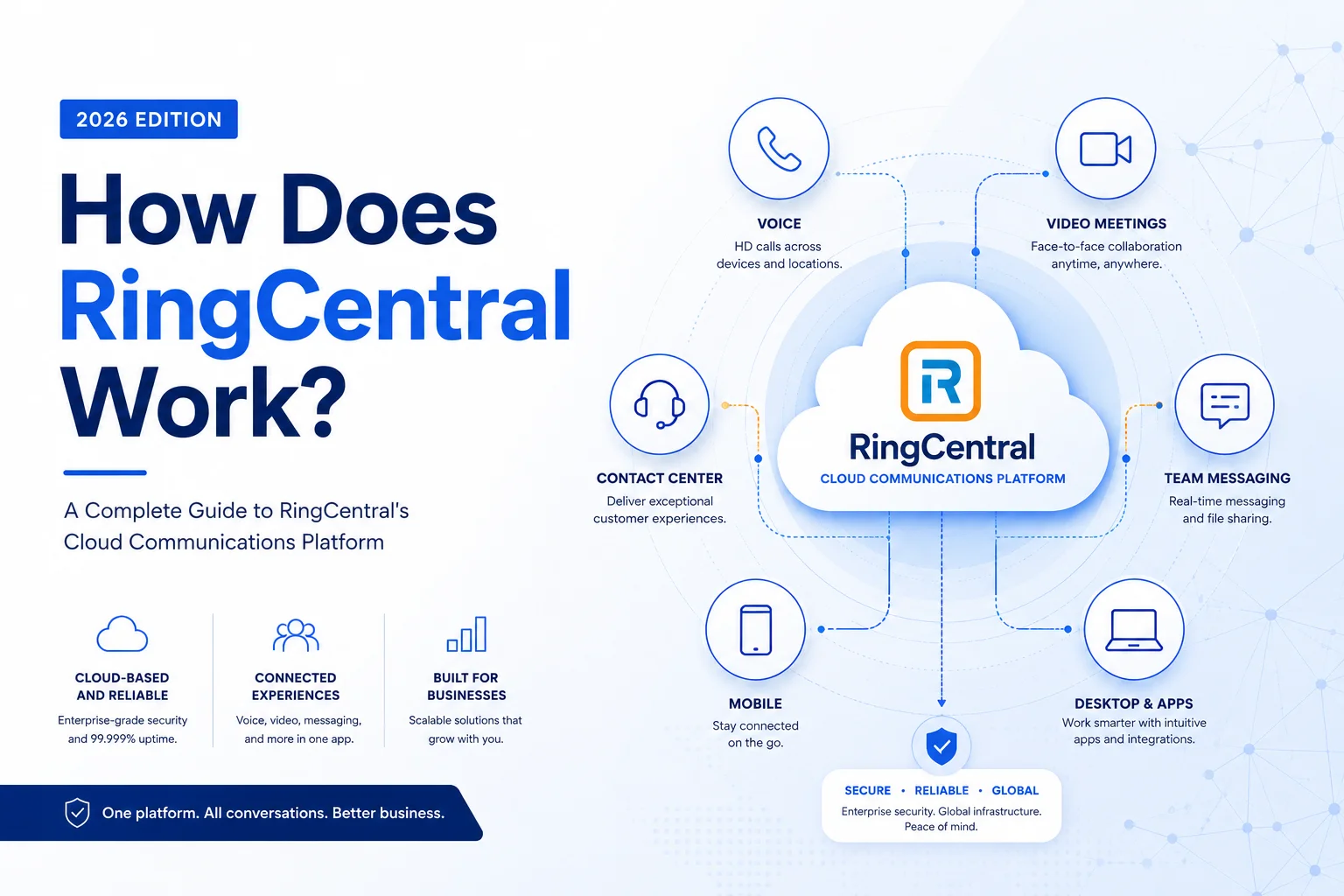
How Does RingCentral Work? (Quick Answer)
RingCentral is a cloud-based business phone system that routes your calls, texts, and video meetings over the internet using VoIP (Voice over Internet Protocol). Instead of physical phone lines and bulky on-site hardware, everything runs through RingCentral's secure data centers. You get a full business phone system — voicemail, auto-attendants, call routing, team chat, video conferencing — accessible from any device, anywhere.
What Is RingCentral, Really?
Strip away the marketing language and RingCentral is a hosted PBX that lives in the cloud. PBX stands for "private branch exchange" — the system that manages incoming and outgoing calls for a business. Traditionally, that meant a server room full of expensive hardware. RingCentral eliminates all of that.
The company calls its flagship product RingCentral MVP — Message, Video, Phone — which neatly captures what the platform does. One subscription gives your team a business phone number, group chat, HD video calls, SMS texting, and internet fax, all under one login. No separate conferencing tool. No standalone messaging app. No fax machine gathering dust in the corner.
This kind of all-in-one approach puts RingCentral in the UCaaS (Unified Communications as a Service) category, alongside competitors like Zoom Phone, Microsoft Teams Phone, and Vonage Business. What sets RingCentral apart is its depth of integrations and how mature its call management features are — it was built as a phone system first, with collaboration layered on top, not the other way around.
VoIP 101: Why Internet Calling Changed Everything
Before understanding how RingCentral works, it helps to understand VoIP itself.
Traditional phone systems convert your voice into electrical signals that travel through copper phone lines to reach the other person. VoIP does something fundamentally different: it converts your voice into digital data packets and sends them over the internet — the same way an email or a web page travels.
Here's what that means in practice for a RingCentral call:
- You speak into your headset, phone, or laptop microphone.
- Your device compresses that audio into small data packets.
- Those packets travel over your internet connection to RingCentral's cloud servers.
- RingCentral's system routes the call — either to another VoIP device or to the traditional phone network if you're calling a regular mobile or landline.
- The person on the other end hears your voice, often with better clarity than an analog line.
The quality of a VoIP call depends primarily on your internet connection speed and stability. A minimum of around 100 kbps per active call is generally sufficient, but most modern broadband connections handle this without issue — even with a dozen simultaneous calls.
The practical upshot: No dedicated phone lines. No per-line hardware. No waiting weeks for a telecom technician to set up a new office.
RingCentral's Cloud PBX: What's Actually Happening Behind the Scenes
When a customer calls your business number, here's what RingCentral's infrastructure does in milliseconds:
- Receives the incoming call at one of RingCentral's geographically distributed data centers
- Checks your auto-attendant rules (e.g., "Press 1 for Sales")
- Routes the call to the right user, team, or queue based on your configuration
- Delivers it to whichever device that user is on — desk phone, laptop app, or mobile
All of this configuration lives in RingCentral's admin portal, a web-based dashboard where IT admins or business owners control every aspect of the phone system. Adding a new employee? Assign them a number in two minutes. Setting up an after-hours voicemail? Done without touching any hardware.
RingCentral also handles automatic software updates, security patches, and new feature rollouts — none of which require any action on your end. This is one of the most underrated advantages of a hosted system: you're always running the latest version.
SIP Trunking and How Calls Reach Traditional Phones
One detail worth knowing: RingCentral uses SIP (Session Initiation Protocol) as the underlying technology for managing VoIP calls. SIP is the industry standard for setting up and tearing down voice and video sessions over IP networks.
When you call a number on the regular public telephone network (PSTN), RingCentral acts as a bridge — converting your VoIP call and routing it through PSTN gateways to reach the destination. This is why you can call any phone number in the world from RingCentral, not just other VoIP users.
RingCentral's Core Features — What You Actually Get
Rather than listing every bullet point from the marketing page, here's an honest breakdown of what matters most, organized by use case.
For Teams and Collaboration
- Team Messaging: Persistent chat channels, direct messages, and file sharing — similar to Slack but built into your phone system
- HD Video Meetings: Screen sharing, recording, and virtual backgrounds included; participant limits vary by plan
- Business SMS/MMS: Send texts from your business number, not your personal cell
- Internet Fax: Send and receive faxes from the app — no machine required
For Managers and Admins
- Call Recording: Automatically record calls for training and compliance (available on mid-tier and above)
- Analytics Dashboard: Track call volume, wait times, agent performance, and more
- Multi-Site Management: Run phone systems across multiple office locations from one portal
- Integrations: Native connectors for Salesforce, Microsoft Teams, Google Workspace, Slack, Zendesk, ServiceNow, and 300+ others
Practical Tip: The Salesforce integration is particularly valuable for sales teams — it automatically logs call activity to CRM records and lets reps click-to-dial directly from a contact page, eliminating manual data entry.
Devices and Setup: Flexibility Is the Point
One of RingCentral's genuine strengths is how little it requires in terms of physical setup. Here's what your options look like:
Software Only (No Hardware Needed)
- Desktop app for Windows and macOS
- Mobile app for iOS and Android
- Browser-based calling (WebRTC)
This alone is enough to run a fully functional business phone system. Many small businesses and remote teams never buy a single piece of hardware.
With VoIP Desk Phones
For teams that prefer a traditional desk phone experience, RingCentral is compatible with IP phones from Poly, Yealink, Cisco, and others. These devices plug into your office network and behave like regular phones — but they're powered by RingCentral's cloud.
Conference Room Hardware
RingCentral supports conference phones and room systems for meeting spaces, which integrate with its video meetings platform.
Setup Timeline
A straightforward deployment — small team, single location, no phone number porting — can genuinely be done in under an hour. Phone number porting (transferring your existing numbers from another carrier) takes longer, typically 2–4 weeks depending on the losing carrier. It's the one area where the "quick setup" promise has a real asterisk.
RingCentral Pricing: What Plans Actually Cost
RingCentral's pricing has evolved over the years, so always verify current rates on their website. As of recent pricing structures, plans generally fall into three tiers:
A few things to know before buying:
- Prices drop significantly with annual billing vs. month-to-month
- Per-user pricing means you only pay for active users — but all users need a seat license
- International calling is available but typically priced separately or in add-on bundles
- A 14-day free trial is usually available — worth using to test call quality on your specific network before committing
- Larger organizations (100+ users) should contact sales directly; volume discounts are negotiable
Why Businesses Switch to RingCentral (And What to Watch Out For)
The Real Benefits
Cost reduction is the most commonly cited reason. Eliminating on-premises PBX hardware, maintenance contracts, and separate conferencing subscriptions often results in meaningful savings — though the math varies widely depending on what you're replacing.
Scalability is where cloud systems genuinely shine. Adding a user in a new city takes minutes. Spinning up a temporary phone line for a seasonal campaign and then removing it costs nothing extra beyond the pro-rated subscription.
Remote work compatibility is no longer optional for most businesses. Because RingCentral is app-based, an employee working from home has exactly the same phone capabilities as someone sitting at a desk in the office — same business number, same call routing, same voicemail.
Compliance and security matter more than many buyers realize upfront. RingCentral is compliant with HIPAA (healthcare), FINRA (financial services), GDPR (EU data privacy), and SOC 2. For regulated industries, this can be a deciding factor.
What to Watch Out For
- Internet dependency: If your internet goes down, so does your phone system. A backup mobile hotspot or failover routing is worth planning for in critical environments.
- Feature gating: Some features that feel standard — like call recording or advanced analytics — are locked behind higher-tier plans.
- Porting complexity: Moving existing phone numbers from some carriers can be slow and occasionally frustrating. Build extra time into your migration plan.
Getting Started With RingCentral: A Practical Overview
If you're evaluating RingCentral for your business, here's a straightforward path to getting started:
- Sign up for a free trial at ringcentral.com — no credit card required initially
- Install the desktop and mobile apps on your devices
- Configure your auto-attendant in the admin portal — this is where most of the useful customization lives
- Add users and assign phone numbers (or start the porting process for existing numbers)
- Test call quality on your network before rolling out to the wider team
- Connect integrations (Salesforce, Teams, etc.) that your team already uses
Most small and mid-size teams can be fully operational within a day for new numbers, a few weeks if porting.
Conclusion: Is RingCentral the Right Fit?
RingCentral works by replacing your physical phone infrastructure with a cloud-based system that routes calls, messages, and video over the internet. The underlying VoIP and SIP technology is mature and reliable. The feature set is genuinely comprehensive — particularly for businesses that need advanced call routing, compliance certifications, or deep CRM integrations.
It's not the cheapest option in the market, and it's not the simplest. But for companies that outgrow basic VoIP services and need a platform that can scale with them — across users, locations, and integrations — RingCentral is a credible, well-established choice.
The 14-day trial costs nothing. Testing it on your actual business calls before committing is the smartest first step.








